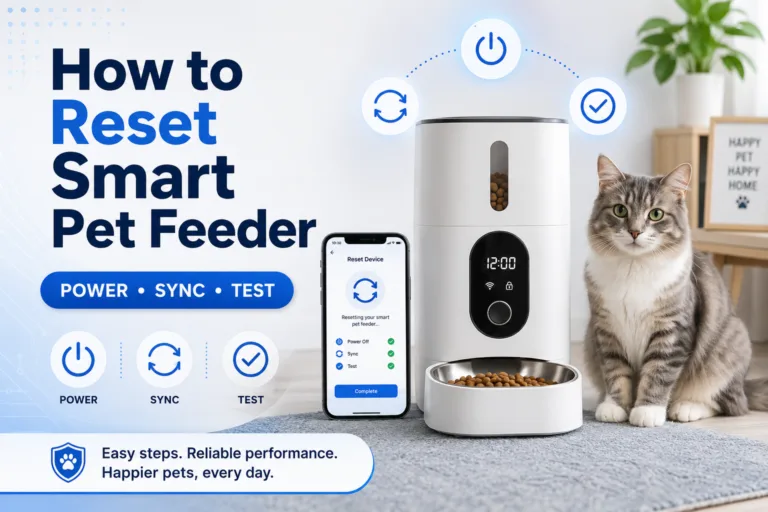
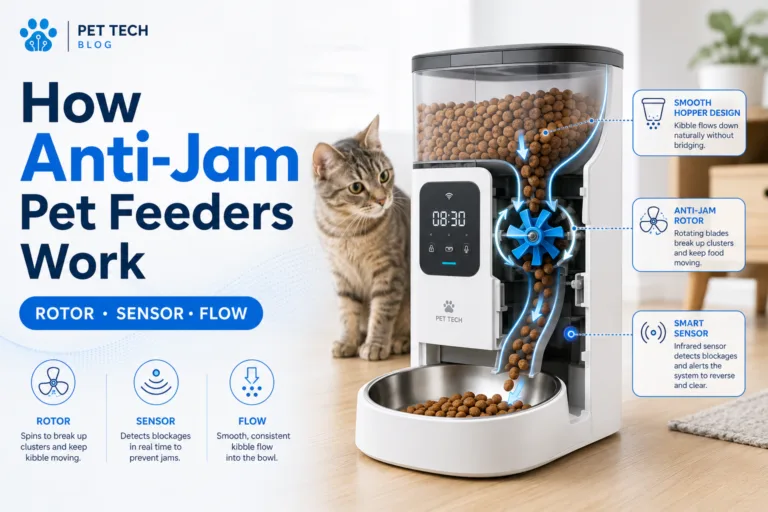
A mesh network smart pet feeder connection problem is often misdiagnosed as a broken feeder. The app says offline, pairing fails, the feeder connects once and disappears, or the camera stream freezes. Owners blame the device first, but the real cause is usually mesh roaming, band steering, weak node placement, 2.4 GHz confusion, router security settings, or a feeder placed where the network looks strong on a phone but weak for a small IoT device.
For daily scheduled feeding, a smart automatic pet feeder with app control works best when the feeder has a stable local connection before the owner depends on remote app checks. A mesh network smart pet feeder connection should be tested at the actual feeding station, not only beside the router during setup.
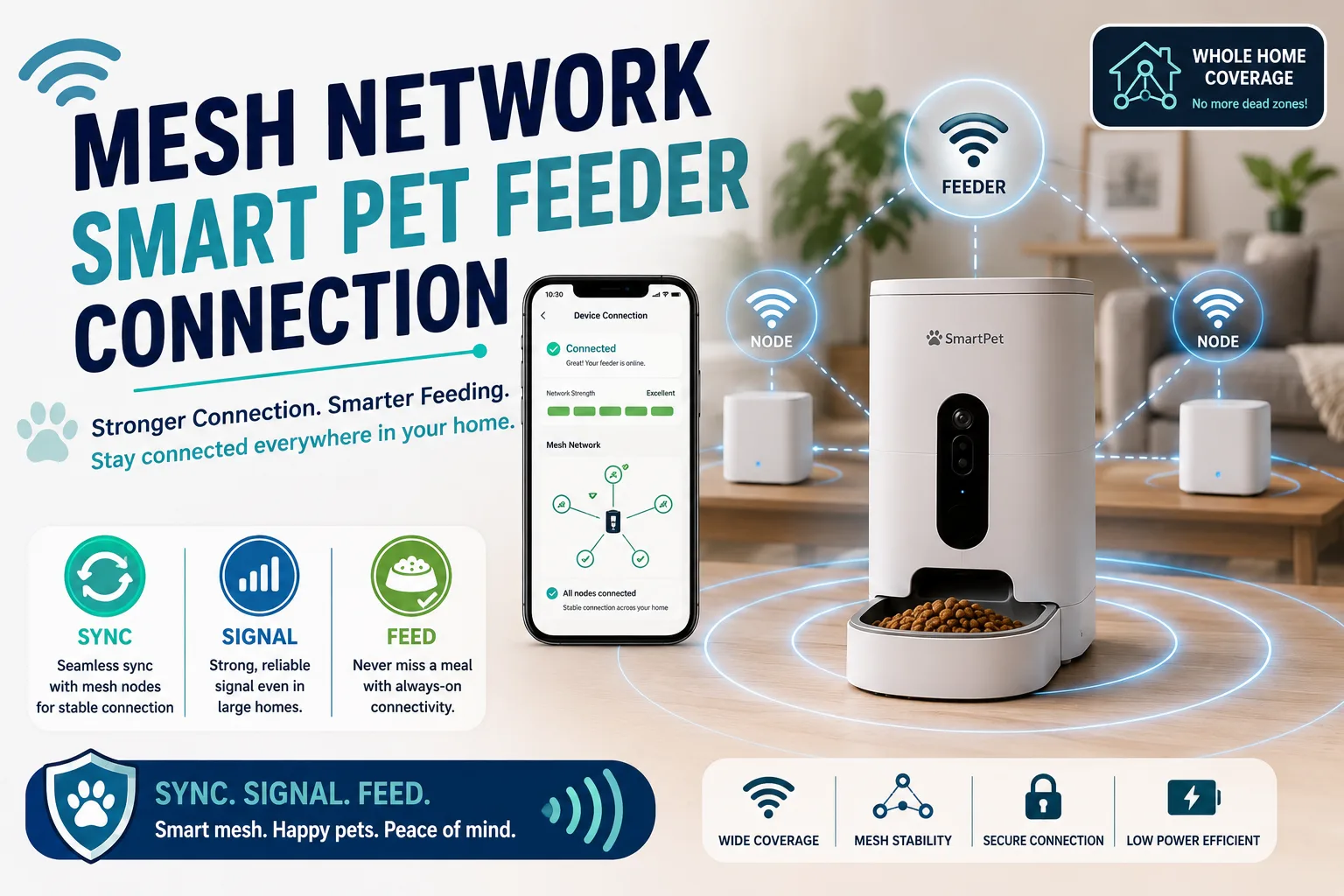
Direct Answer: Mesh Network Smart Pet Feeder Connection
A mesh network smart pet feeder connection works best when the feeder is paired on a stable 2.4 GHz WiFi signal, placed near a strong mesh node, protected from band-steering confusion, kept on a consistent network name and password, updated through the app, and tested with the feeder in its final location. If the feeder keeps going offline, check node placement, signal strength, router security mode, guest network rules, app permissions, firmware, and whether the feeder is jumping between mesh nodes.
The safest rule is direct: do not assume a phone’s WiFi bars prove the feeder has a stable connection. Phones have stronger radios, better roaming logic, and more network tolerance than many smart-home devices. A stable mesh network smart pet feeder connection is confirmed when the feeder stays online, receives commands, runs schedules, sends alerts, and reconnects after router or power interruptions.
Why This Happens
Mesh networks are designed to spread WiFi coverage across a home using multiple nodes. That helps phones, laptops, TVs, and tablets move around with fewer dead zones. Smart feeders are different. They usually sit in one location, often near kitchens, laundry areas, hallways, garages, patios, or utility corners where signal quality may be inconsistent.
The Wi-Fi Alliance’s Wi-Fi EasyMesh information explains the idea of coordinated access points in a multi-device network. For feeder owners, the practical issue is that a smart feeder may not handle roaming, band steering, or node handoff as smoothly as a phone.
A mesh network smart pet feeder connection can also fail because many smart pet feeders use 2.4 GHz WiFi for better range and IoT compatibility. If a mesh system combines 2.4 GHz and 5 GHz under one network name, the feeder app may struggle during pairing, especially when the phone is connected to 5 GHz while the feeder needs 2.4 GHz.
What To Do First
Start with controlled pairing. Move the feeder close to the main router or a strong mesh node. Confirm that the app, feeder, and phone are using the intended network. If the router app allows it, temporarily simplify setup by disabling band steering or creating a dedicated 2.4 GHz IoT network for pairing.
After pairing, move the feeder to its final location and test again. Run a manual dispense, check app status, restart the app, unplug and reconnect the feeder if the product instructions allow it, and verify whether the feeder comes back online without a full reset.
Use pet feeder WiFi connection for the basic setup layer. A mesh network smart pet feeder connection should be fixed from the network outward: signal, band, node, security, app, then feeder.
The Feeding Loop Behind Connection Panic
The connection panic loop starts when the app shows the feeder offline. The owner worries the pet missed a meal. The owner manually feeds the pet. Later, the feeder reconnects and runs its stored schedule. The pet receives both the manual food and the scheduled food.
This is common because offline status does not always mean feeding stopped. Some feeders continue stored schedules without internet. Others may lose remote control but still run locally. Some do need connection for full function. The owner must know the feeder’s offline behavior before reacting with food.
A strong mesh network smart pet feeder connection plan separates network troubleshooting from feeding compensation. Check the bowl, app log, feeder power, and next scheduled meal before adding food. If manual feeding is needed, measure it and record it.
The Emotional Trigger Owners Miss
The emotional trigger is remote uncertainty. Owners trust smart feeders because they want proof that meals happen while they are at work, asleep, or away. When the app shows offline, the owner loses that proof and reacts quickly.
That reaction can create more feeding instability than the network issue itself. The pet may not have missed a meal. The owner may only have lost remote visibility. These are different problems.
Use smart pet feeder offline before assuming failure. A mesh network smart pet feeder connection issue should trigger verification, not automatic bonus feeding.
The Addiction Mechanism
The addiction mechanism is outage reward. If every offline alert leads to extra food, the pet learns that owner anxiety near the feeder can produce bonus meals. Cats may wait beside the machine. Dogs may crowd the bowl. Owners may treat this behavior as evidence that the feeder failed.
This turns a network issue into a feeding behavior problem. The pet is not diagnosing WiFi. The pet is responding to patterns that reward waiting, begging, or crowding.
A disciplined mesh network smart pet feeder connection routine keeps food decisions separate from app stress. Troubleshoot the network. Verify the bowl. Feed manually only when the meal truly failed.
2.4 GHz Is Usually the First Check
Many smart feeders rely on 2.4 GHz WiFi because it generally reaches farther than 5 GHz and is common for IoT devices. The problem is that modern mesh systems often combine bands under one network name. That can confuse pairing when the phone connects through 5 GHz while the feeder is waiting for 2.4 GHz credentials.
If the feeder will not pair, check whether the mesh app allows a temporary 2.4 GHz-only setup mode, separate IoT network, guest network that supports 2.4 GHz, or band steering pause. Use the simplest configuration during pairing, then test normal operation afterward.
A mesh network smart pet feeder connection does not need the fastest band. It needs the most stable supported band. Feeding reliability matters more than speed.
Mesh Node Placement Matters
A mesh node should not be placed only where it looks convenient. If the node itself has a weak connection to the main router, everything connected to that node can become unstable. A feeder near that node may go offline even when the phone shows a network name.
Place mesh nodes where they can communicate strongly with each other and still cover the feeding station. Avoid hiding nodes behind appliances, inside cabinets, behind metal objects, near thick walls, or near large water containers. Kitchens and laundry areas often have signal interference from appliances and reflective surfaces.
Use smart feeder placement when choosing the final station. A reliable mesh network smart pet feeder connection depends on both pet comfort and signal quality.
Band Steering and Roaming Problems
Band steering tries to move devices between WiFi bands for better performance. Roaming tries to move devices between access points or mesh nodes. These features help mobile devices, but some IoT devices prefer a fixed, simple connection.
A feeder may pair successfully near one node, then move to another area and struggle to reconnect. It may also attach to a distant node instead of the closest one. Some mesh apps let owners view which node a device uses or reserve it to a preferred node. If available, use that information.
A stable mesh network smart pet feeder connection should not bounce between nodes all day. If it does, move the feeder or node, reduce interference, or create a dedicated IoT setup that keeps the feeder on a predictable path.
Router Security Settings
Security settings can block pairing. Some older IoT devices may not support every modern encryption mode. If the router is set to a strict mode that the feeder does not support, the app may fail during setup or connect once and drop later.
The FCC’s home network security guidance recommends securing home WiFi networks and changing default settings. For feeder owners, this means security should be strong, but it also needs to be compatible with the device.
Do not solve pairing problems by removing WiFi security entirely. Instead, use the feeder manufacturer’s supported security mode, a strong password, updated firmware, and a controlled guest or IoT network when appropriate.
Guest Network and IoT Network Traps
A guest network can help isolate smart devices, but some guest networks block device-to-device communication or app discovery. That can stop pairing, camera streaming, local controls, or Home Assistant integration.
An IoT network can work well when it supports the feeder’s required band, security mode, internet access, and app communication. The mistake is creating a locked-down network before knowing what the feeder needs.
For more technical homes, use home assistant pet feeder integration. A mesh network smart pet feeder connection must be stable before dashboards, automations, or local monitoring can be trusted.
Camera Feeders Need More Stability
A basic smart feeder needs enough connection for app status, commands, and notifications. A camera feeder needs more because video streaming uses more bandwidth and is sensitive to signal drops. The feeder may still dispense food while the video freezes, which can confuse owners.
If using a camera feeder, test live view at breakfast time, dinner time, night, and when other devices are active. A mesh node that works at noon may struggle when the household streams video, works online, or uses multiple smart devices at once.
A smart WiFi pet feeder with camera can reduce meal uncertainty, but only when the network supports both feeding control and video. Use WiFi pet feeder with camera for camera-specific setup checks.
Firmware and App Updates
Firmware can affect reconnection, WiFi compatibility, notification behavior, camera streaming, schedule memory, and app stability. Mesh router updates can also change band steering, security defaults, or device roaming behavior.
Do not update the feeder, router, or mesh system right before leaving home, sleeping, or depending on the feeder for the next meal. Update when you can test the system afterward.
Use smart feeder firmware update. A mesh network smart pet feeder connection should be rechecked after both feeder updates and router updates.
Power Problems Can Look Like WiFi Problems
A feeder that loses power may appear offline in the app. The owner may waste time changing router settings when the real issue is a loose adapter, damaged cable, switched outlet, weak battery, or pet-chewed cord.
Check power before deep WiFi troubleshooting. Confirm the feeder is plugged in, the outlet works, the cable is undamaged, and backup batteries are installed correctly if the model supports them.
Use pet feeder with battery backup and chew proof pet feeder cable. A clean mesh network smart pet feeder connection diagnosis always checks power first.
Smart Device Security
A feeder connected to a mesh network is part of the smart home. It may use app accounts, cloud services, notifications, camera access, shared users, and firmware updates. Security is not separate from feeding reliability.
The FTC’s guidance on securing internet-connected devices at home recommends keeping connected devices updated and using security features. For feeder owners, that means strong passwords, controlled app sharing, current firmware, and careful camera placement if the feeder has video.
Use smart device security. A stable mesh network smart pet feeder connection should not be achieved by weakening the whole home network.
Common Failure Pattern
The most common failure pattern is pairing near the main router and then moving the feeder to a weak location. The app setup succeeds, but the final station fails. The owner thinks the feeder is defective because it worked for ten minutes and then disappeared.
The second failure is using one combined network name without understanding band steering. The phone sits on 5 GHz, the feeder needs 2.4 GHz, and setup fails repeatedly.
The third failure is reacting to offline alerts with food instead of verification. A mesh network smart pet feeder connection problem should be fixed with signal and setup checks, not with uncontrolled manual feeding.
Real-World Impact
The real-world impact of a stable mesh setup is calmer feeding. The owner can check app status, receive alerts, run remote commands, verify camera views, and trust schedules with less uncertainty. The pet’s routine becomes less dependent on whether someone is standing beside the bowl.
The impact of a weak setup is hidden instability: offline alerts, failed pairing, frozen camera view, missed notifications, duplicated manual feeding, owner stress, and distrust of the feeder. The device may be fine. The network environment may be the problem.
For owners who need routine resilience, use emergency backup pet feeder. A stable mesh network smart pet feeder connection is important, but every smart feeding system still needs a backup rule.
Can This Be Fixed?
Yes, most mesh feeder connection problems can be fixed with a structured reset. Check power. Pair near a strong node. Confirm 2.4 GHz support. Simplify band steering if needed. Verify router security compatibility. Move the feeder to its final location. Test manual dispense, schedule execution, app status, offline recovery, and camera streaming if present.
Run a seven-day mesh reliability check. Record online status, node assignment if visible, meal time, app alerts, manual feeds, WiFi drops, router restarts, camera failures, and feeder power status. If the feeder drops at the same time every day, check network congestion or mesh optimization schedules. If it drops only in one location, fix placement or node coverage.
For product selection, start with the smart feeders collection. Choose based on routine reliability, app control, camera need, backup power, cleaning access, and whether the home network can support the feeder where the pet actually eats.
Who Should Walk Away and Who Should Use This
Walk away from placing a smart feeder at the edge of mesh coverage, hiding it behind metal appliances, using unstable guest networks, disabling security entirely, or assuming camera freezing means the feeder failed to dispense. Also walk away from editing multiple router settings at once without testing between changes.
Use a mesh network smart pet feeder connection checklist if your feeder will not pair, connects only near the router, drops offline in the kitchen, loses camera video, reconnects slowly after outages, or works until the mesh system moves it to another node. It is especially useful for larger homes, apartments with signal interference, outdoor feeder stations, Home Assistant users, and camera feeder owners.
Cat owners can compare the cat feeders collection when smaller scheduled meals and quiet feeding matter. Dog owners can compare the dog feeders collection when feeder stability, bowl size, and cable safety need stronger planning.
Mini FAQ
Why will my smart pet feeder not connect to a mesh network?
Your smart pet feeder may not connect to a mesh network because of 2.4 GHz pairing issues, band steering, weak node signal, router security incompatibility, guest network restrictions, app permissions, or feeder placement too far from a stable node.
Do smart pet feeders need 2.4 GHz WiFi?
Many smart pet feeders use 2.4 GHz WiFi because it is common for IoT devices and usually has better range than 5 GHz. Check the feeder’s setup instructions before pairing.
Can a mesh network make a feeder go offline?
A mesh network can make a feeder go offline if the feeder is handed between nodes poorly, placed near a weak node, affected by band steering, or connected through a restricted guest network.
Should I create a separate IoT network for my feeder?
A separate IoT network can help when it supports the feeder’s required band, security mode, internet access, and app communication. It can hurt setup if it blocks discovery or device communication the feeder needs.
Why does the feeder work near the router but not in the kitchen?
The feeder works near the router but not in the kitchen because the final feeding station likely has weaker signal, more interference, a poor mesh node path, or obstacles such as appliances, walls, cabinets, or water sources.
Does offline mean my pet missed a meal?
Offline does not always mean your pet missed a meal. Some feeders continue stored schedules without internet. Check the bowl, app log, power, and feeder behavior before feeding manually.
The best fix is not random router tweaking. It is controlled testing: power first, 2.4 GHz second, node placement third, security settings fourth, final-location testing fifth. A reliable mesh network smart pet feeder connection keeps the app useful, the feeder visible, and the feeding routine stable without turning every offline alert into a food emergency.