
A smart pet feeder offline warning is not just an app inconvenience. It can affect meal timing, portion control, owner trust, and the pet’s daily routine. When a feeder disconnects, owners often panic, tap random buttons, reset the device, add manual food, and accidentally create a bigger feeding problem than the original WiFi issue.
For homes that depend on scheduled dry-food meals, a smart automatic pet feeder with app control should be treated as a routine system, not just a connected gadget. The feeder needs stable power, strong signal, correct placement, clean food delivery, and a backup plan for offline moments.
Direct Answer: Smart Pet Feeder Offline
A smart pet feeder offline problem usually comes from weak WiFi signal, router changes, app login issues, power interruption, incorrect network band, poor feeder placement, firmware errors, or a device reset that was not completed correctly. The first fix is not adding extra food. The first fix is checking power, WiFi, app status, feeder placement, and whether the feeder still runs its stored schedule.
A reliable smart pet feeder offline plan has two goals. First, restore connection without damaging the feeding schedule. Second, protect the pet from missed meals while troubleshooting. If the owner turns every offline alert into manual overfeeding, the pet learns that technology problems produce extra food.
Why Smart Pet Feeders Go Offline
Smart feeders go offline because they depend on several systems working at the same time. The feeder needs power. The router needs stable internet. The app needs account access. The feeder needs the correct WiFi band. The location needs enough signal. If one part fails, the app can show the feeder as offline even if the machine itself still has power.
The Federal Communications Commission’s home network security guidance highlights the importance of secure, properly managed home networks. For feeder owners, that means router passwords, network changes, and signal quality are not minor details. They directly affect whether the feeder stays connected.
A smart pet feeder offline issue also happens after normal household changes. A new router, changed WiFi password, power outage, app update, phone replacement, moved feeder, weak extension cord, or crowded kitchen corner can break connection. The device did not become useless. The feeding system lost one of its support layers.
What To Check First
Start with the basics before resetting everything. Confirm the feeder has power. Check whether the outlet works. Confirm the power cable is fully seated. Look for battery backup status if the feeder has one. Then check whether the router is online and whether other smart devices are connected.
Next, check the app. Make sure the account is logged in, the feeder is still listed, and the schedule has not been deleted. If the app shows smart pet feeder offline, do not immediately remove the device from the app. First confirm whether the feeder still dispenses on its stored timed schedule.
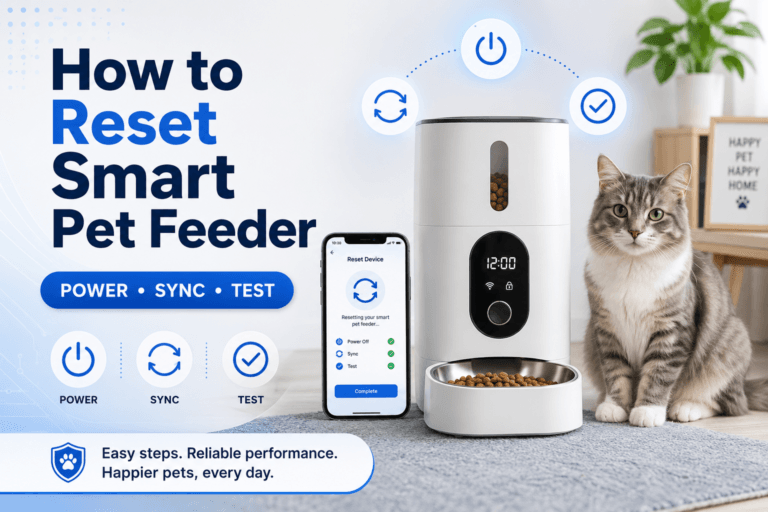
Use the setup process in how to use a smart pet feeder before changing multiple settings. Troubleshooting works best when the owner changes one variable at a time: power, WiFi, app, placement, then schedule.
The Offline Loop Behind This Problem
The offline loop starts with an alert. The app says the feeder is disconnected. The owner worries the pet will miss a meal. The owner adds food manually. The feeder reconnects later and dispenses the scheduled meal. Now the pet has received an extra portion.
That loop becomes a feeding problem. The pet learns that app stress leads to extra food. The owner learns to solve uncertainty with calories. Over time, a technical problem turns into weight drift, begging, and distrust in the feeder.
A better smart pet feeder offline response is controlled verification. Check whether the last meal dispensed. Check the bowl. Check the feeder log if available. If a manual meal is truly needed, measure it and subtract it from the daily total. Do not use a full emergency scoop because the app looked alarming.
The Emotional Trigger Owners Miss
The emotional trigger is fear. Owners buy smart feeders to prevent missed meals, so an offline warning feels like failure. That fear pushes owners toward fast actions: reset, refill, tap manual feed, unplug, reconnect, and add treats.
Fast action is often the wrong action. Random resets can erase schedules. Manual feeding can double the portion. Moving the feeder can weaken signal further. A calm checklist protects the pet better than panic tapping.
For schedule design, use the scientific pet feeding schedule. The routine should survive a short connection problem because meal timing, total food amount, and backup rules are already defined.
The Addiction Mechanism
The addiction mechanism is accidental reward. If the feeder disconnects and the owner gives extra food, the pet receives a reward during a moment of owner anxiety. If this happens repeatedly, the pet may start crowding the feeder, vocalizing near the bowl, or acting hungry whenever the owner checks the app.
This is not the pet being manipulative in a human way. It is simple reinforcement. Food appeared outside the normal schedule, so the behavior around that moment becomes stronger.
A controlled smart pet feeder offline plan prevents that reward pattern. The owner verifies first, measures any manual replacement, records it, and avoids turning every alert into a bonus meal. The feeder remains a schedule tool instead of a stress-triggered snack button.
WiFi Problems to Fix
Many feeders depend on 2.4 GHz WiFi, while some modern routers combine 2.4 GHz and 5 GHz networks under one name. If the feeder cannot connect after a router change, check the feeder’s network requirements and confirm that the correct band is available.
Placement also matters. A smart pet feeder offline issue often appears when the feeder sits behind metal appliances, thick walls, cabinets, garage doors, or far from the router. Move the feeder closer to the router for testing before assuming the device is defective.
Use WiFi vs Bluetooth pet feeder if the home has weak remote connection needs or confusing network behavior. WiFi is stronger for remote control, but it also requires better signal discipline than a simple local timer.
Power and Backup Checks
Power failure is the simplest offline cause and one of the most overlooked. A loose plug, tripped outlet, damaged cable, exhausted backup battery, or power strip switch can take the feeder offline instantly. If the feeder has a display or indicator light, check it before opening the app settings.
A good smart pet feeder offline backup plan includes battery support or a manual feeding rule. The backup should be measured, written, and shared with every household member. If one person feeds manually and another person trusts the feeder schedule, double feeding happens.
For stronger reliability planning, use pet feeder with battery backup. Battery support does not solve WiFi problems, but it protects the meal schedule during power interruptions.
Placement Problems That Cause Offline Alerts
A feeder can be perfectly functional and still go offline because it lives in the wrong place. Kitchens, laundry rooms, garages, patios, and hallway corners often have weaker signal than owners expect. A feeder placed low to the floor behind furniture can also lose connection more easily.
Correct placement should support both the pet and the network. The feeder needs a calm eating area, a dry level surface, enough bowl access, stable power, and strong signal. A beautiful corner is not useful if the router cannot reach it.
For location correction, use smart feeder placement. A better station can reduce offline warnings, food guarding, moisture issues, and cleaning problems at the same time.
App and Account Problems
Sometimes the feeder is not offline in a hardware sense. The app may be logged out, the phone may be on mobile data with poor service, the feeder may need reauthorization, or the cloud service may be temporarily unreachable. Before resetting the feeder, check the account and app state.
The U.S. Cybersecurity and Infrastructure Security Agency’s strong password guidance is relevant for connected pet devices because app accounts control schedules, manual feeding, and device access. Use a strong password and avoid sharing feeder account access casually across too many phones.
For a smart pet feeder offline app issue, check login status, app permissions, phone connection, device ownership, and whether the feeder appears on another household member’s phone. Do not delete and re-add the feeder unless the setup instructions require that step.
When the Feeder Still Dispenses Offline
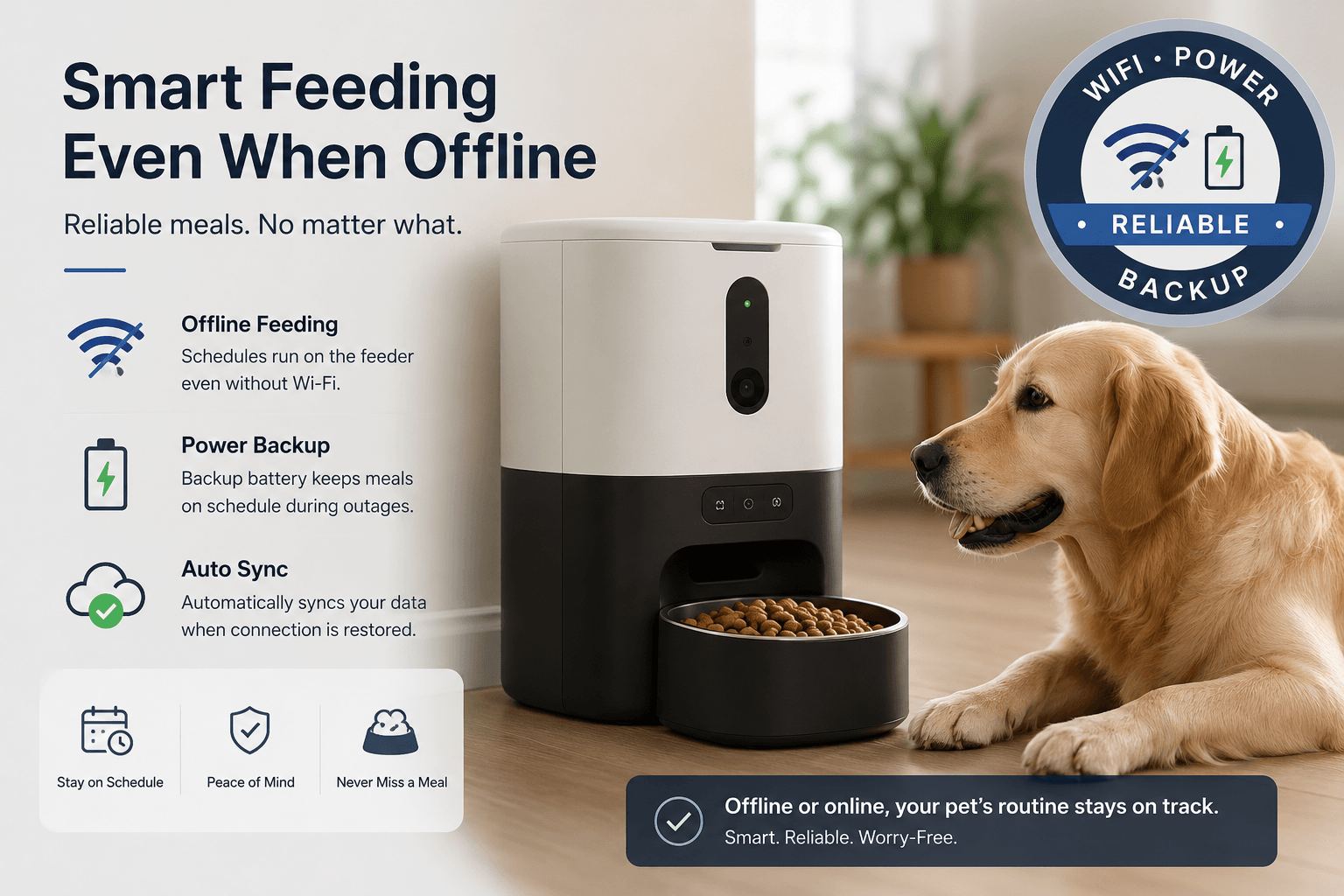
Some smart feeders keep running stored schedules even when the app cannot connect. This distinction matters. Offline app status does not always mean missed meals. The feeder may still dispense because the schedule is stored locally.
Owners should confirm how their feeder behaves without internet. Does it keep scheduled meals? Does it lose only remote control? Does it stop all dispensing? Does it need power plus WiFi, or power alone for local schedules? These answers define the backup plan.
A smart pet feeder offline event becomes less stressful when the owner already knows the feeder’s offline behavior. Test this under controlled conditions before relying on the feeder during travel, shift work, or long workdays.
Common Failure Pattern
The common failure pattern is a rushed reset. The feeder goes offline. The owner deletes it from the app, holds the reset button, changes the WiFi, fills the bowl manually, and then forgets to rebuild the schedule. The feeder reconnects, but the meal plan is gone or duplicated.
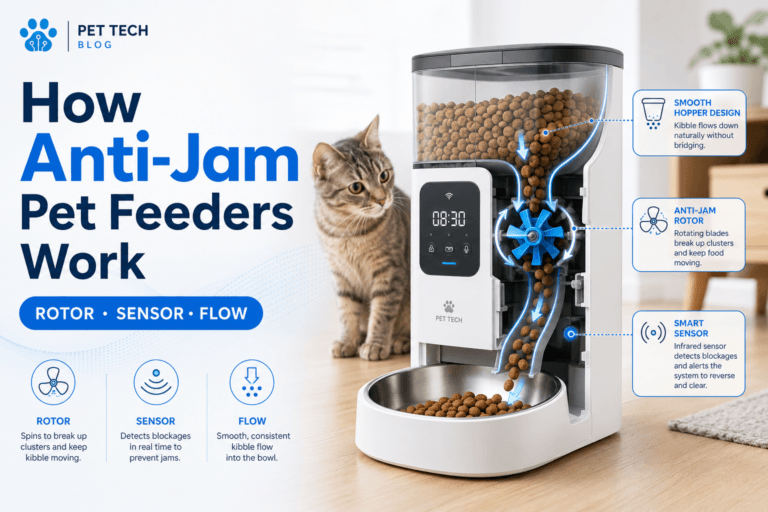
The second failure is ignoring food delivery while focusing only on connection. A feeder can be online and still fail if the chute is blocked, the bowl is dirty, or kibble is too large. For cleaning and jam prevention, use clean smart pet feeder.
The third failure is using the feeder outdoors without a stronger reliability plan. Outdoor WiFi, power, moisture, insects, and temperature can all make connection problems worse. For outdoor routines, use outdoor automatic pet feeder before trusting app control outside.
Real-World Impact
The real-world impact of a smart pet feeder offline problem depends on the household. For a pet on a normal dry-food routine, the issue may be a short app inconvenience. For shift workers, travelers, early-morning cat owners, or weight-control routines, offline events can disrupt the entire feeding system.
Weight control is one hidden consequence. If the owner adds manual food every time the app shows offline, portions expand silently. The AVMA healthy pet weight guidance explains why body condition matters, and portion drift is one of the easiest ways to lose control.
For owners who rely on remote checks, a WiFi pet feeder with camera can help verify whether a pet actually ate. The camera still depends on connection, so it should be paired with a schedule memory and power backup plan.
Can This Be Fixed?
Yes, most smart pet feeder offline problems can be fixed with a structured reset instead of panic troubleshooting. Check power first. Check router status second. Check app login third. Check placement fourth. Reconnect only after confirming the network name, password, and supported WiFi band.
Run a seven-day reliability reset. Place the feeder where signal is strong. Program measured meals. Test dispensing. Confirm whether the feeder runs when the app is closed. Check the bowl after each meal window. Record offline alerts, missed meals, manual feeding, and power events.
For product selection, start with the smart feeders collection. Cat owners can compare the cat feeders collection, while dog owners should use the dog feeders collection when bowl size and portion volume matter.
Who Should Walk Away and Who Should Use This
Walk away from relying only on app status if the feeder does not have schedule memory, battery backup, or a household manual-feeding rule. Also walk away from placing a smart feeder in a weak-signal corner just because it looks tidy.
Use this smart pet feeder offline checklist if your feeder disconnects often, the app shows offline after router changes, meals are missed, the feeder works only near the router, or household members keep adding food when alerts appear.
For long workdays and irregular routines, automatic feeder for shift workers gives the right operating principle: the feeder should protect the schedule when the owner is unavailable. Offline planning is part of that protection.
Mini FAQ
Why is my smart pet feeder offline?
Your smart pet feeder offline warning usually comes from weak WiFi, router changes, power interruption, app login issues, wrong network band, poor placement, or a reset that was not completed correctly. Check power and router status before deleting the device.
Will my smart feeder still feed if it is offline?
Some smart feeders still dispense stored scheduled meals while offline, while others need connection for full control. Check the model’s offline behavior and test it before relying on the feeder during work, sleep, or travel.
How do I reconnect a smart pet feeder?
Reconnect a smart pet feeder by confirming power, checking the WiFi name and password, using the supported network band, moving the feeder closer to the router, and following the app setup steps in order. Avoid random resets.
Can weak WiFi cause missed pet meals?
Weak WiFi can cause missed remote controls, failed app checks, and offline alerts. Whether meals are missed depends on whether the feeder stores schedules locally. Use strong placement and a backup feeding rule.
Should I feed manually when the feeder is offline?
Feed manually only after checking whether the scheduled meal actually failed. If manual feeding is needed, measure the portion and subtract it from the daily total. Do not use offline alerts as a reason for bonus food.
How do I prevent a smart feeder from going offline?
Prevent offline issues with stable power, strong WiFi placement, correct router settings, app account control, battery backup, clean food delivery, and a tested schedule. A reliable feeder setup depends on the whole system, not the app alone.
A 2L smart pet feeder for regular feeding can support a stable daily routine when placement, power, and setup are controlled. The final rule is direct: a smart pet feeder offline problem should trigger verification first, measured backup second, and reset only after the real failure point is identified.