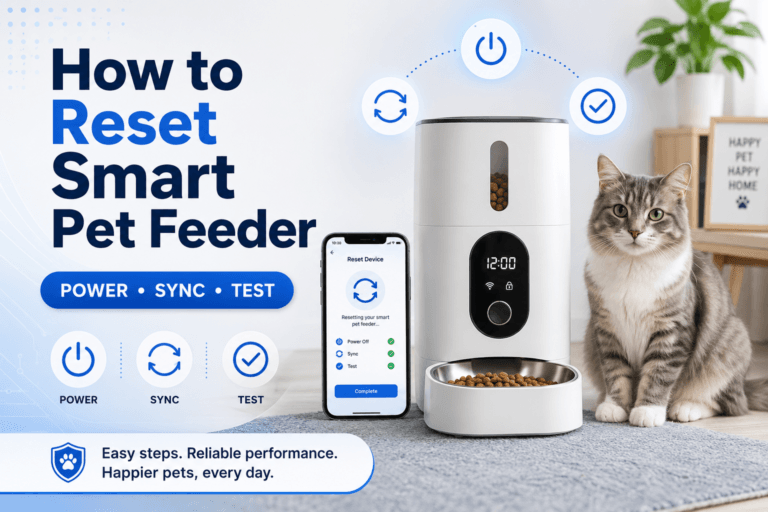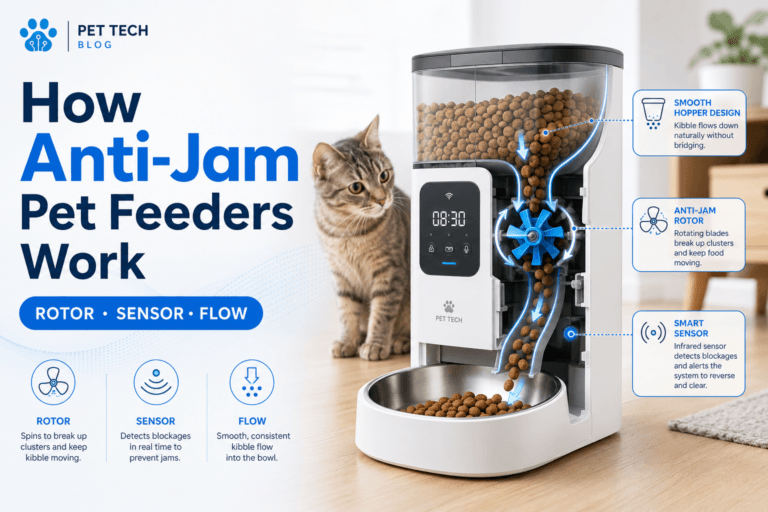

Smart device security is easy to ignore when the device looks harmless. A smart pet feeder does not look like a laptop, router, or security camera. It sits beside the bowl, drops kibble on time, and feels like a simple convenience tool. The risk is that it still connects to WiFi, uses an app, stores settings, may include a camera, and depends on an account that controls your pet’s daily routine.
For homes using scheduled dry-food meals, a smart automatic pet feeder with app control should be treated as both a feeding tool and a connected device. The feeder controls meal timing, but smart device security controls who can access the app, change the schedule, view the camera, or disrupt the routine.
Direct Answer: Smart Device Security
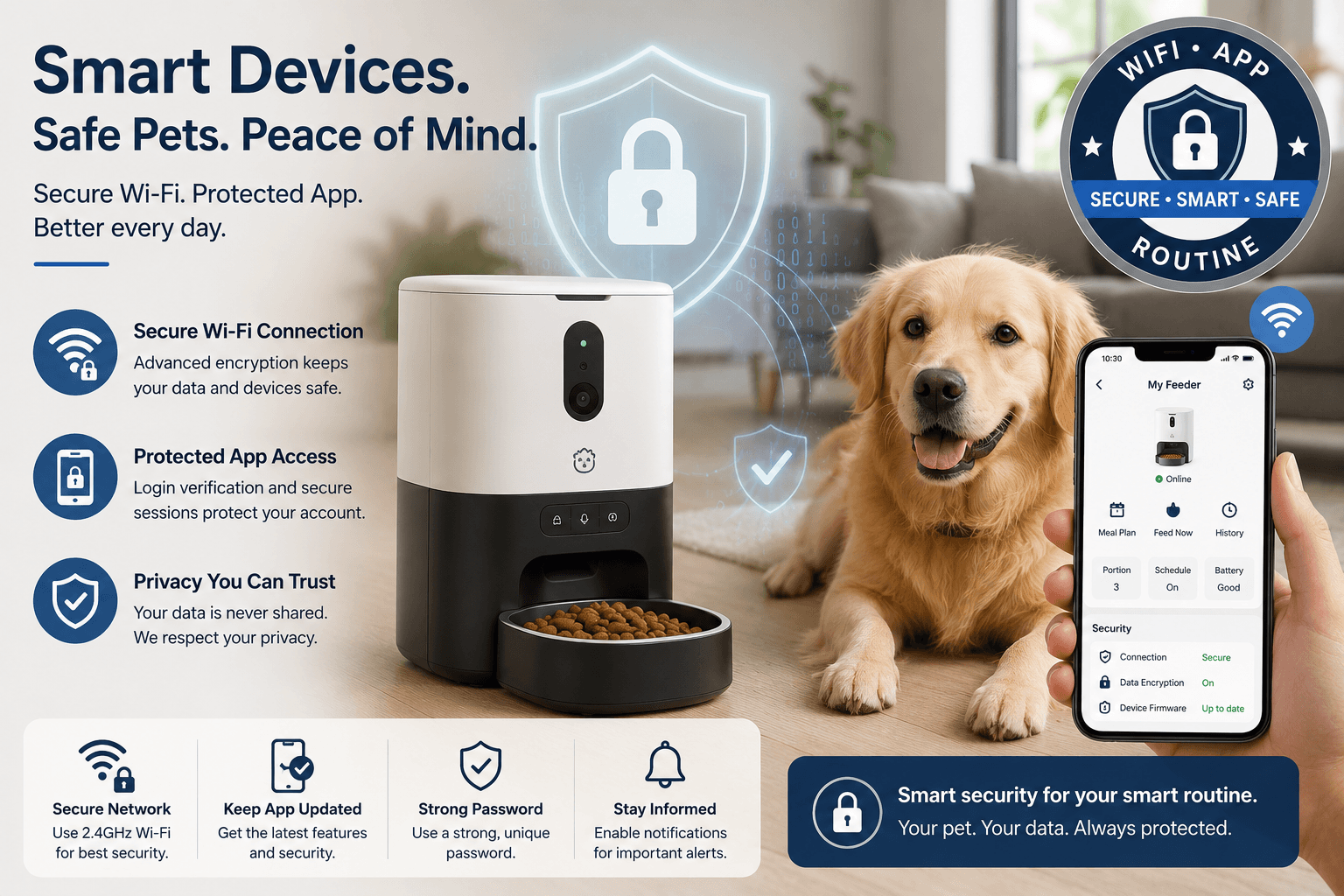
Smart device security means protecting connected pet devices with strong passwords, secure WiFi, app updates, firmware updates, account control, safe placement, and a backup feeding plan. For smart pet feeders, the goal is not only data protection. The goal is also routine protection: meals should not fail because the router changed, the app account was shared carelessly, or the feeder was never updated.
The safest smart pet feeder setup uses a private home network, a strong WiFi password, a unique app password, multi-factor authentication when available, current app software, current feeder firmware, and a written backup plan for power or internet failure. Strong smart device security makes the feeder boring: it connects reliably, dispenses predictably, and does not create avoidable privacy or feeding risks.
Why Smart Device Security Matters for Pet Feeders
Smart pet feeders are part of the Internet of Things. They are small connected devices that link a physical action, dispensing food, to a phone app and network connection. That makes them useful, but it also means weak passwords, poor WiFi setup, shared accounts, and outdated software can affect the pet’s real daily care.
The FTC’s guidance on securing internet-connected devices at home recommends using device security features and keeping device software and apps updated. That applies directly to smart pet feeders because the feeder app, account, and firmware all sit between the owner and the pet’s meal schedule.
A weak smart device security setup creates practical problems. The feeder may go offline. The camera may expose household activity. Another person with app access may change a meal by accident. A reused password may put the account at risk. A router change may break the schedule if the owner does not know how the feeder behaves offline.
What To Do First
Start with the router, not the feeder. A smart feeder depends on the home network. Change default router admin credentials, use a strong WiFi password, and avoid leaving the network name and router settings in their factory state. The FTC’s home WiFi security guidance recommends changing default router settings, including default administrative username, password, and network name.
Then secure the feeder app. Use a unique password that is not used for shopping, email, social media, or other smart-home devices. If the app supports multi-factor authentication, turn it on. CISA’s multi-factor authentication guidance explains that MFA adds another verification step, which makes account access harder to abuse.
A practical smart device security setup for pet feeders has six controls: secure WiFi, unique app password, controlled account sharing, updated app and firmware, safe physical placement, and backup feeding rules. Use pet feeder WiFi connection when setup problems appear before the feeder is fully reliable.
The Feeding Loop Behind Security Problems
The feeding loop starts when the owner treats the feeder as a normal bowl. The device is plugged in, the app works once, and the household stops thinking about it. Then the router changes, the app updates, the feeder goes offline, or someone else logs into the account and changes a setting. The pet’s meal routine becomes unstable.
Then the owner compensates with manual food. The feeder looks unreliable, so the owner adds backup portions, extra treats, or full bowls “just in case.” That turns a technical issue into a feeding-control issue. The pet gets inconsistent meals because the connected system was never secured or documented.
Good smart device security breaks the loop by treating the feeder as infrastructure. The router is managed. The app account is controlled. The schedule is checked after updates. Offline behavior is known. Manual feeding is measured instead of improvised.
The Emotional Trigger Owners Miss
The emotional trigger is convenience trust. Owners buy a smart feeder because they want confidence: the pet gets meals on time, even when the owner is asleep, working, traveling, or busy. That confidence becomes risky when the owner stops checking the system.
A smart feeder should reduce missed meals, not reduce responsibility. The owner still needs to know who has app access, which network the feeder uses, whether the schedule survives offline status, and how to feed manually without double feeding.
For owners already seeing app alerts or offline warnings, smart pet feeder offline explains the correct response. A smart device security routine should prevent panic feeding by making failure steps clear before they happen.
The Addiction Mechanism
The addiction mechanism is remote reward. App-controlled devices make it easy to tap a button and dispense food. If the owner opens the app, sees the pet near the feeder, hears meowing through a camera, and sends an extra portion, the pet learns that feeder-area behavior can produce food.
This is not only a behavior issue. It is also a security and account-control issue. If multiple people have app access, the pet can receive duplicate food from different phones. One person thinks dinner was delivered by the schedule. Another person sends a manual portion. The feeder becomes a shared remote snack button.
A better smart device security rule is simple: app access should be limited, manual feeding should be rare, and every manual portion should be counted. The app is a control panel, not a toy.
Password and Account Rules
Use a unique password for the feeder app. Do not reuse the same password used for email, stores, social media, or other smart-home accounts. If a shared password is exposed somewhere else, the feeder account becomes exposed too.
CISA’s good security habits guidance recommends strong, unique passwords for each account or device. For a smart feeder, that means one account, one strong password, and no casual sharing through screenshots or group chats.
Good smart device security also means removing access when access is no longer needed. If a pet sitter, roommate, former employee, or family member had feeder app access, review account permissions after the care period ends. Old access is a common weak point in smart-home routines.
WiFi Network Rules
Many smart feeders connect through 2.4 GHz WiFi. That does not make them insecure by default, but it does mean setup needs to be deliberate. Use a strong WiFi password, keep the router updated, and do not connect the feeder to an open or public network.
A separate guest or IoT network can help isolate smart devices from personal laptops and phones when the router supports it. The feeder still needs internet access for app features, but it does not need unnecessary access to every device in the home.
For choosing the right connection type, use WiFi vs Bluetooth pet feeder. WiFi is useful for remote checks, but stronger smart device security is required because the device depends on the home network and app account.
Camera Feeder Privacy
A feeder with a camera creates a different security level. It can show the pet eating, but it may also show the room, household movement, voices, schedules, and whether people are home. Camera placement is a privacy decision, not only a feeding decision.
A smart camera feeder should face the bowl, not the whole room. Avoid angles that capture doors, desks, private rooms, children’s areas, documents, screens, or windows. The camera should verify meals, not monitor the household more broadly than needed.
For camera-specific feeding routines, use WiFi pet feeder with camera. Strong smart device security for camera feeders includes app access control, password hygiene, careful placement, and disabling unnecessary sharing.
Updates and Firmware
Updates matter because smart devices are software-controlled. The phone app can receive security fixes. The feeder firmware can receive reliability improvements. The router can receive security updates. Ignoring updates leaves the feeding system dependent on old code.
NIST’s consumer IoT cybersecurity work focuses on cybersecurity criteria for connected consumer devices. For pet owners, the practical lesson is direct: connected devices need ongoing security management after purchase.
A working smart device security routine checks updates without breaking the schedule. After an app or firmware update, verify meal times, portion settings, time zone, device connection, and manual feeding history. An update is not complete until the feeding schedule is still correct.
Physical Placement Is Security Too
Physical placement affects both feeding and device safety. A feeder near a door, window, outdoor area, or shared hallway can be easier for pets, children, visitors, or other animals to tamper with. A feeder in a weak-signal corner can drop offline. A feeder near water can suffer power or moisture problems.
A secure smart feeder station should be dry, level, stable, easy to inspect, close enough to WiFi, and difficult for pets to knock over or open. The food tank should close securely. The power cable should not invite chewing. The bowl area should be visible enough for routine checks.
Use smart feeder placement before finalizing the station. Strong smart device security is not only password work. It is also preventing physical access, spills, power issues, and avoidable disconnections.
Power and Offline Backup
Smart feeders fail as routines when power and internet assumptions are wrong. A secure setup includes a backup feeding plan. The owner should know whether the feeder keeps scheduled meals during WiFi loss, whether it has battery backup, and how to feed manually without duplicating meals.
For power reliability, use pet feeder with battery backup. Backup power is not a cybersecurity feature by itself, but it is part of routine security because it protects the meal schedule from outages.
A good smart device security checklist includes a written rule for manual feeding. If the feeder is offline, check whether the meal actually failed. If manual feeding is needed, measure the amount and subtract it from the daily total.
Common Failure Pattern
The most common failure pattern is using the default setup forever. The feeder connects once, the owner leaves weak account settings in place, shares app access casually, skips updates, and never tests offline behavior. The device works until one change breaks the routine.
The second failure is treating camera access casually. A camera feeder may be shared with a sitter, friend, or family member for convenience, then access is never removed. Over time, the owner no longer knows who can see or control the device.
The third failure is confusing online status with full reliability. A feeder can be online and still dispense poorly if the chute is dirty, the food is damp, or calibration is wrong. Use clean smart pet feeder and pet feeder calibration to keep the physical feeding layer accurate.
Real-World Impact
The real-world impact of weak smart device security is not abstract. It shows up as missed meals, duplicate portions, unknown app changes, frozen camera views, offline alerts, privacy exposure, and owner mistrust. The pet experiences the result as inconsistent feeding.
For weight-control homes, duplicate app feeding can quietly increase calories. For shift workers, a broken connection can create panic before a long shift. For multi-pet homes, camera or app access can reveal stealing but also creates more data to protect.
A strong system gives the owner clean control: one feeder, one secure account, clear permissions, current software, stable WiFi, known backup rules, and measured meals. That is what smart device security should mean in a pet-feeding home.
Can This Be Fixed?
Yes, smart feeder security problems can be fixed with a seven-day reset. Change weak passwords. Review app access. Update the app. Check firmware. Confirm WiFi settings. Test the schedule. Test offline behavior. Move the feeder if signal or physical access is poor.
During the reset, record who has access, which network the feeder uses, whether the camera view is too broad, whether the feeder runs during WiFi loss, whether power backup works, and whether manual feeding rules are clear. Do not change five things and then skip the final dispense test.
For product selection, start with the smart feeders collection. Choose based on feeding accuracy, removable parts, app reliability, camera need, backup power, placement fit, and the household’s ability to maintain smart device security after setup.
Who Should Walk Away and Who Should Use This
Walk away from smart devices that require weak account habits, unclear app permissions, unknown update support, poor password control, or camera placement that exposes too much of the home. Also walk away from giving every household member full app control when only one person should manage portions.
Use a smart device security checklist if your home uses a WiFi pet feeder, camera feeder, app-controlled food dispenser, smart water device, or any connected pet-care tool. It is especially important for shift workers, travelers, pet sitters, multi-pet homes, and weight-control routines.
Cat owners can compare the cat feeders collection when smaller portions and quiet feeding matter. Dog owners can use the dog feeders collection when feeder stability, food volume, and tamper resistance matter more.
Mini FAQ
What does smart device security mean for pet feeders?
Smart device security for pet feeders means protecting the WiFi connection, app account, password, camera access, software updates, and backup feeding routine. The goal is to keep meals reliable and prevent unnecessary access to the device.
Can a smart pet feeder be hacked?
Any internet-connected device can carry risk when passwords are weak, apps are outdated, networks are poorly secured, or access is shared carelessly. Reduce risk with strong passwords, secure WiFi, updates, and limited account access.
Should I use a separate WiFi network for smart pet devices?
A separate guest or IoT network is useful when your router supports it. It can help isolate smart devices from personal computers and phones while still allowing the feeder to connect to the internet for app features.
Is a camera pet feeder safe for privacy?
A camera pet feeder is safer when the camera points only at the bowl, app access is limited, passwords are strong, and unnecessary sharing is removed. Do not place the camera where it captures private household activity.
What is the biggest smart feeder security mistake?
The biggest mistake is treating the feeder like a normal bowl after setup. A smart feeder needs password control, app updates, WiFi reliability, access review, and backup rules because it controls a real feeding routine.
How often should I review smart device security?
Review smart device security after setup, after router changes, after app updates, after pet sitter access, after moving the feeder, and every few months during normal use. The review should include passwords, permissions, updates, WiFi, and schedule verification.
A smart WiFi pet feeder with camera is useful when the owner needs meal verification, but it should be installed with privacy and access control from the start. The final rule is direct: smart device security protects the app, the network, the camera, the schedule, and the pet’s daily meals as one system.