
Pet feeder maintenance is what keeps an automatic feeder from becoming a dirty, inaccurate, disconnected food box. The device may look fine from the outside, but kibble dust, old food oil, moisture, weak WiFi, worn desiccant, bad placement, outdated firmware, and untested portions can quietly damage the feeding routine.
For daily dry-food feeding, a smart automatic pet feeder with app control works best when the owner treats maintenance as part of feeding. The app handles timing, but pet feeder maintenance protects hygiene, accuracy, power, connection, and food freshness.
Direct Answer: Pet Feeder Maintenance
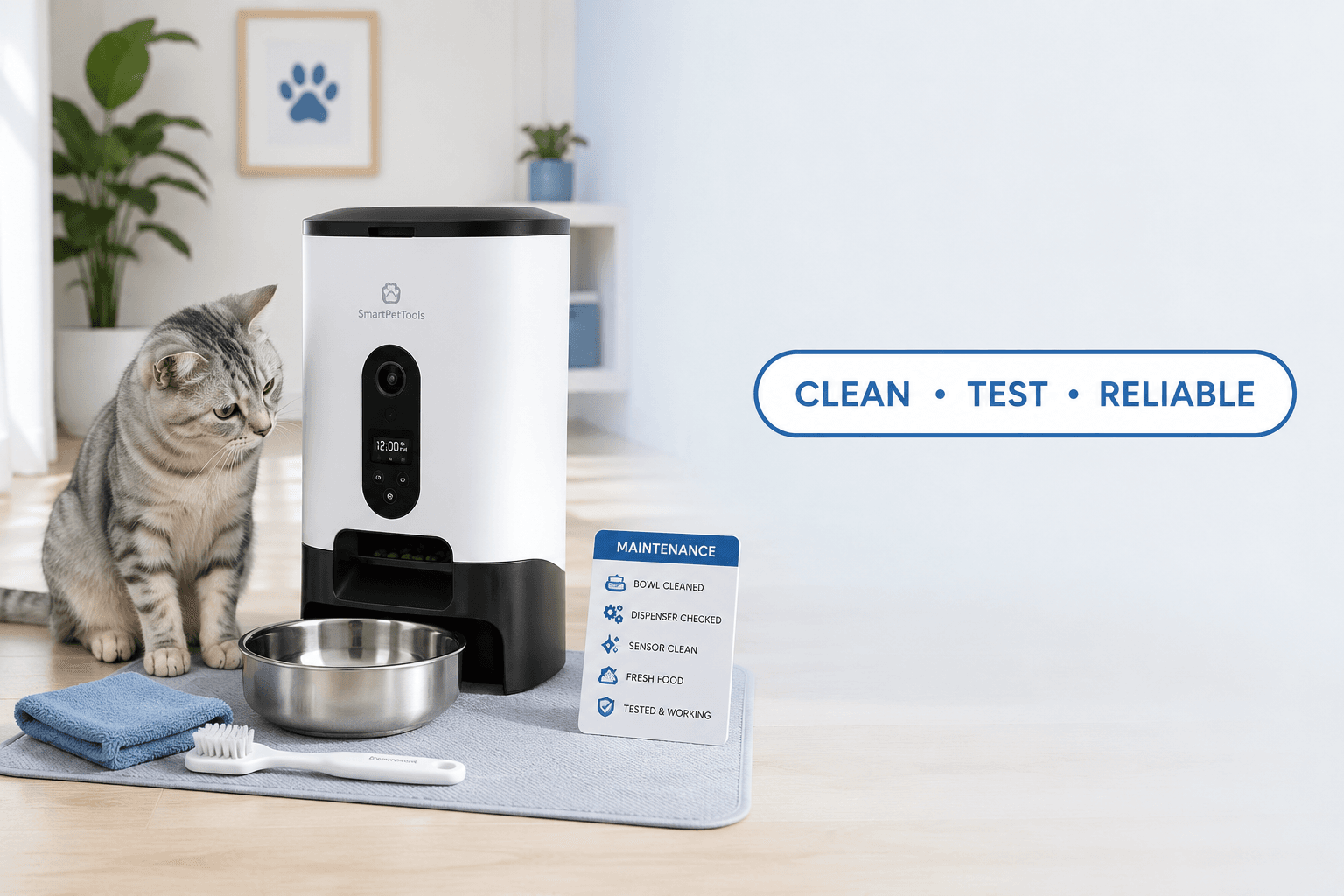
Pet feeder maintenance means cleaning the bowl and chute, checking the food tank, replacing desiccant, testing portions, confirming WiFi and power, updating firmware, inspecting cables, and verifying the feeding schedule on a fixed routine. A maintained feeder should dispense the right amount of clean dry food at the right time without relying on guesswork.
The strongest pet feeder maintenance system has four layers: hygiene, accuracy, reliability, and safety. Hygiene keeps food-contact areas clean. Accuracy confirms real portions. Reliability protects power, WiFi, firmware, and app control. Safety checks cables, placement, moisture, and pet access.
Why Pet Feeders Need Maintenance
Automatic feeders store and dispense food repeatedly. That creates more maintenance needs than a normal bowl. Kibble leaves crumbs and oil. Pets add saliva, hair, and floor debris. Food tanks collect dust. Chutes can hold residue. Bowls can smell. Smart models also depend on power, WiFi, apps, firmware, and account access.
The FDA’s safe handling guidance for pet food and treats emphasizes clean handling, storage, and washing practices around pet food. A feeder is part of that food-handling system because it stores food before every meal.
Weak pet feeder maintenance creates practical problems: odor, ants, stale kibble, clumps, jams, wrong portions, offline alerts, missed meals, duplicate manual feeding, and owner distrust. Most feeder failures are not sudden. They build slowly because no one checks the full system.
What To Do First
Start by separating the feeder into two parts: the food path and the control system. The food path includes the tank, lid, desiccant holder, chute, bowl, tray, mat, and surrounding floor. The control system includes power, cable, app, WiFi, firmware, schedule, battery backup, and manual feeding settings.
A practical pet feeder maintenance reset starts with cleaning, then calibration, then connection checks. Do not calibrate a dirty feeder. Do not trust a schedule after a reset without checking it. Do not blame WiFi before confirming that the power cord is secure.
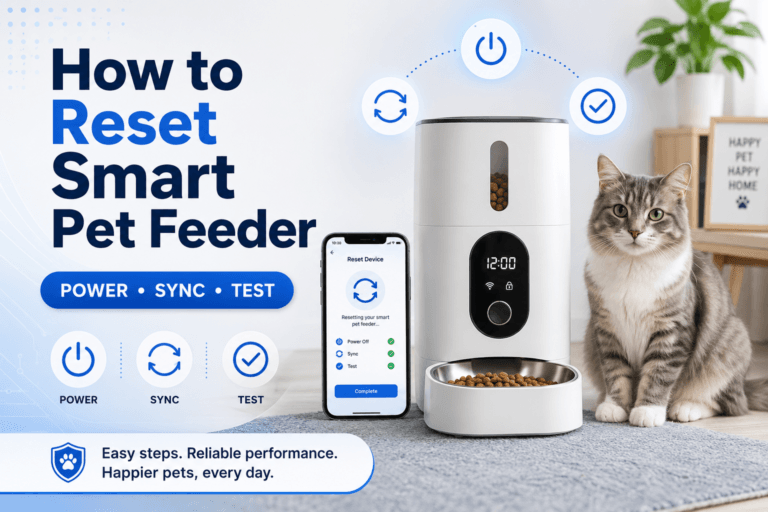
Use how to use a smart pet feeder when rebuilding setup after cleaning, app changes, or a device reset. Maintenance should end with a confirmed feeding schedule, not just a wiped bowl.
The Maintenance Loop Behind Feeder Problems
The maintenance loop starts when the feeder works well for the first few weeks. The owner trusts it. The tank gets topped up. The bowl is wiped only when it looks dirty. The app stays connected, so the household assumes everything is fine.
Then small failures begin. The food smells stale. A portion is smaller than normal. The pet leaves kibble behind. The app shows offline. Ants appear near the base. The owner responds to each symptom separately instead of maintaining the whole feeder system.
Good pet feeder maintenance breaks this loop. The owner cleans before odor appears, replaces desiccant before clumps form, tests portions before weight changes, checks WiFi before travel, and verifies the schedule after every update or reset.
The Emotional Trigger Owners Miss
The emotional trigger is automation trust. A smart feeder gives the owner confidence because meals happen without constant manual work. That confidence becomes a weakness when the owner stops inspecting the device.
A feeder can be online and still dirty. A bowl can contain food and still have the wrong portion. A full tank can hold stale kibble. A clean-looking feeder can have a blocked chute. A strong pet feeder maintenance routine prevents the owner from confusing automation with self-care.
For the food-contact layer, use clean smart pet feeder. Cleaning is the base of maintenance because every other check becomes less useful when food residue is already building inside the machine.
The Addiction Mechanism
The addiction mechanism is panic compensation. When the feeder looks unreliable, the owner adds food “just in case.” If the app goes offline, food is added. If a portion looks small, food is added. If the feeder jams once, food is added again. The pet starts receiving maintenance mistakes as bonus calories.
This creates a new feeding problem. The feeder may be designed for portion control, but the owner’s backup behavior destroys the daily total. A maintenance problem becomes weight drift, begging, and schedule pressure.
A controlled pet feeder maintenance rule is direct: verify first, feed manually only when needed, measure every manual portion, and subtract it from the daily amount. Do not let equipment uncertainty become extra food.
Weekly Cleaning Routine
Weekly cleaning should cover the bowl, tray, chute opening, tank lid, food tank, and floor area. Remove old kibble before refilling. Wash removable food-contact parts with warm water and pet-safe dish soap. Rinse thoroughly. Dry fully before reassembly. A damp feeder can make kibble clump and stick.
Do not spray cleaner into motors, ports, sensors, buttons, speakers, cameras, or charging areas. Do not soak electronic parts unless the product instructions clearly state that the part is washable. A smart feeder should be cleaned in removable sections, not treated as one waterproof object.
The AVMA’s pet nutrition guidance connects feeding decisions with overall care. A clean feeder supports that care by keeping food delivery consistent and reducing contamination from old residue.
Portion Calibration
Pet feeder maintenance is incomplete without portion testing. The app may say one portion, but that portion can vary by kibble size, shape, density, chute design, tank loading, and food dust. A feeder does not know calories. It only dispenses mechanically.
Use a digital kitchen scale. Tare the bowl to zero. Run one portion. Record the weight. Repeat five to ten times. Calculate the average. Then build the daily feeding schedule from real grams, not the app label.
Use pet feeder calibration after changing food, cleaning the chute, resetting the app, updating firmware, or noticing weight changes. Calibration turns the feeder from a timer into a measurable feeding system.
Desiccant and Food Freshness
If the feeder has a desiccant holder, replacement is part of routine maintenance. A saturated or expired desiccant pack cannot keep the food tank dry. In humid homes, near water stations, or in semi-outdoor spaces, moisture control becomes even more important.
Replace desiccant according to the feeder instructions. Replace sooner when the packet is torn, swollen, dirty, expired, or when kibble smells stale, clumps, or sticks near the chute. Do not throw random loose silica packets into the food tank.
Use pet feeder desiccant replacement for the full moisture-control routine. Strong pet feeder maintenance keeps food dry before it reaches the bowl.
WiFi and App Checks
For smart feeders, connection checks matter as much as cleaning. Confirm the feeder is online, the app is logged in, notifications work, and the schedule appears correctly. If the router password changed, the feeder may need to be reconnected. If the feeder moved, signal quality may change.
Many smart pet feeders use 2.4 GHz WiFi. A router change, combined network name, weak signal corner, or app permission issue can break setup. Do not assume the feeder is defective until power, router, app, and placement have been checked.
Use pet feeder WiFi connection and smart pet feeder offline when the app fails. A good pet feeder maintenance checklist checks connection before the next critical meal window.
Firmware and Security Updates
Firmware updates can improve device stability, app compatibility, camera behavior, bug fixes, and security. They should not be ignored for months when the feeder controls daily meals. At the same time, updates should not be started carelessly right before work, travel, sleep, or a scheduled meal.
The FTC’s guidance on securing internet-connected devices at home recommends keeping device software and apps updated. A smart feeder is a connected device, so updates belong inside the maintenance plan.
Use smart feeder firmware update for the correct update order. After every firmware update, verify meal times, portions, time zone, app control, camera function if available, and test dispensing.
Power, Cable, and Backup Checks
Power failure can look like a feeder failure or WiFi problem. Inspect the plug, adapter, cable, outlet, power strip, and battery backup. Look for loose connections, chew marks, heat damage, bends, or cracked insulation. Replace damaged power parts instead of taping over them.
A reliable pet feeder maintenance routine also includes backup planning. Know whether the feeder keeps scheduled meals during WiFi loss. Know whether the battery backup supports dispensing or only memory. Know who feeds manually if power fails.
Use pet feeder with battery backup and chew proof pet feeder cable when power reliability or cord safety is part of the problem.
Placement and Moisture Control
Placement decides how hard maintenance becomes. A feeder near a water bowl, sink, humid laundry area, bathroom floor, garage door, direct sun, litter box, trash can, or outdoor doorway faces more moisture, odor, pests, and cleaning problems.
A maintained feeder should sit on a dry, level, washable surface with strong WiFi, safe power access, and enough room for the pet to eat comfortably. The station should be easy to lift, wipe under, refill, inspect, and reconnect.
For homes pairing food and water devices, use automatic water dispenser for pets. Water access matters, but splashes should not reach the feeder’s food outlet, cable, or tank area.
Common Failure Pattern
The most common failure pattern is topping up the tank without emptying or cleaning it. Fresh kibble goes on top of old kibble. Dust and oil remain at the bottom. The desiccant is forgotten. The chute gets sticky. Then the owner blames the feeder when portions become inconsistent.
The second failure is trusting app status too much. A feeder can be online but dirty, calibrated incorrectly, or physically blocked. Online status proves connection, not food quality.
The third failure is cleaning without testing. The owner washes parts, reassembles the feeder while damp, refills the tank, and assumes the next meal will work. Good pet feeder maintenance ends with a test dispense and schedule review.
Real-World Impact
The real-world impact of weak pet feeder maintenance is slow failure. Meals become inconsistent. Pets start begging. Owners add manual food. Ants appear. The feeder smells. The app disconnects. The cable gets damaged. The pet’s daily food intake becomes harder to control.
Good maintenance creates clean data. If the pet gains weight, the owner can check measured food instead of guessing. If the pet skips a meal, the owner can inspect appetite instead of wondering whether the feeder jammed. If the app shows offline, the owner can check power and network without panic feeding.
A 2L smart pet feeder for regular feeding is easier to manage when cleaning, calibration, desiccant, power, and app checks are tied to a fixed routine.
Can This Be Fixed?
Yes, most feeder problems can be fixed with a full pet feeder maintenance reset. Empty the tank. Discard stale food. Wash removable parts. Dry completely. Replace the desiccant. Inspect the cable. Confirm power. Reconnect WiFi if needed. Update firmware if prompted. Refill with fresh kibble. Weigh test portions. Verify the schedule.
Then run a seven-day reliability check. Record meals dispensed, leftovers, pet behavior, app alerts, manual feeding, portion weight, odor, ants, moisture, and cable condition. If one issue repeats, fix the cause instead of adding more food.
For feeder selection, start with the smart feeders collection. Choose a feeder that is easy to clean, easy to refill, stable on the floor, compatible with your kibble, and simple to check after maintenance.
Who Should Walk Away and Who Should Use This
Walk away from any feeding routine that treats the feeder as self-maintaining. Also walk away from feeders that are hard to clean, hard to dry, hard to inspect, difficult to reconnect, or built with hidden food pockets that trap residue.
Use a pet feeder maintenance system if your home depends on scheduled meals, app control, camera verification, battery backup, weight control, early-morning feeding, shift work, travel, or multi-pet feeding. The more the household relies on the feeder, the more maintenance matters.
Cat owners can compare the cat feeders collection for smaller portions and quiet feeding. Dog owners should use the dog feeders collection when bowl size, feeder stability, and kibble volume require stronger maintenance planning.
Mini FAQ
What does pet feeder maintenance include?
Pet feeder maintenance includes cleaning the bowl, tray, chute, tank, and floor area, replacing desiccant, checking power, confirming WiFi, updating firmware, calibrating portions, and verifying the feeding schedule.
How often should I clean an automatic pet feeder?
Clean removable food-contact parts weekly for normal dry-food routines, and clean sooner when odor, ants, moisture, crumbs, leftover food, or pet hesitation appears. Wet food areas need faster cleaning.
Why does my feeder dispense the wrong amount?
A feeder dispenses the wrong amount when kibble size, food dust, moisture, chute residue, tank loading, calibration, or app settings affect food flow. Clean the feeder, dry it fully, and run a portion test with a scale.
Should I replace the desiccant in my pet feeder?
Yes, replace the desiccant according to the feeder instructions, and replace sooner after moisture exposure, odor, clumping, packet damage, or indicator change. Use the correct sealed replacement, not random loose packets.
Can maintenance prevent feeder jams?
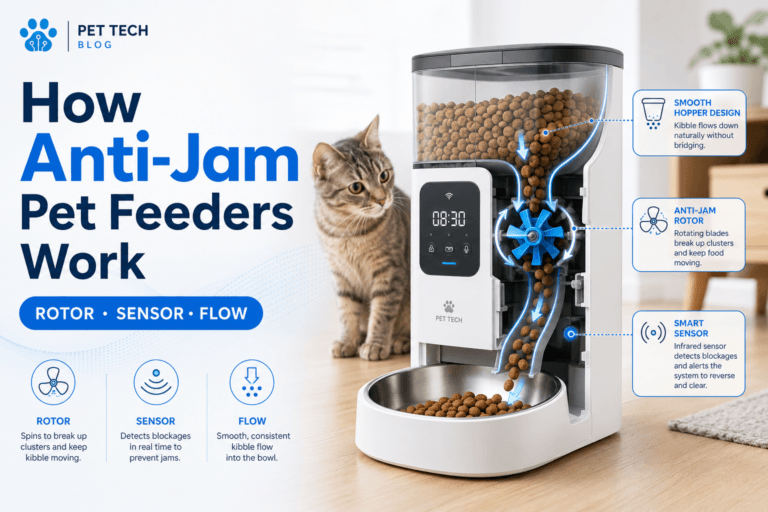
Maintenance can prevent many feeder jams by removing kibble dust, keeping the chute dry, replacing stale food, controlling moisture, and confirming that the kibble size fits the feeder. It cannot fix a feeder used outside its design limits.
What should I check after cleaning a smart feeder?
After cleaning a smart feeder, check that all parts are dry, the chute is clear, the app schedule is correct, WiFi is connected, power is stable, and one test dispense works correctly. Cleaning is not complete until the feeder is tested.
The best feeding system is maintained before it fails. A smart feeder should be clean, dry, calibrated, connected, powered, updated, and tested. That is why pet feeder maintenance is not optional care work. It is the routine that keeps automatic feeding safe, accurate, and reliable.