
Automatic pet feeder battery light blinking usually means the feeder is warning about power status, low battery, backup battery mode, poor battery contact, adapter failure, incorrect battery installation, or a power transition between wall power and battery power. It should not be ignored because power problems can affect schedules, app connection, camera access, alerts, and whether the next meal dispenses on time.
For daily feeding, a smart automatic pet feeder with app control is most reliable when the power path is stable. The app may show schedules clearly, but the feeder still needs working wall power, fresh backup batteries, clean contacts, and a clear emergency plan.
Direct Answer: Automatic Pet Feeder Battery Light Blinking
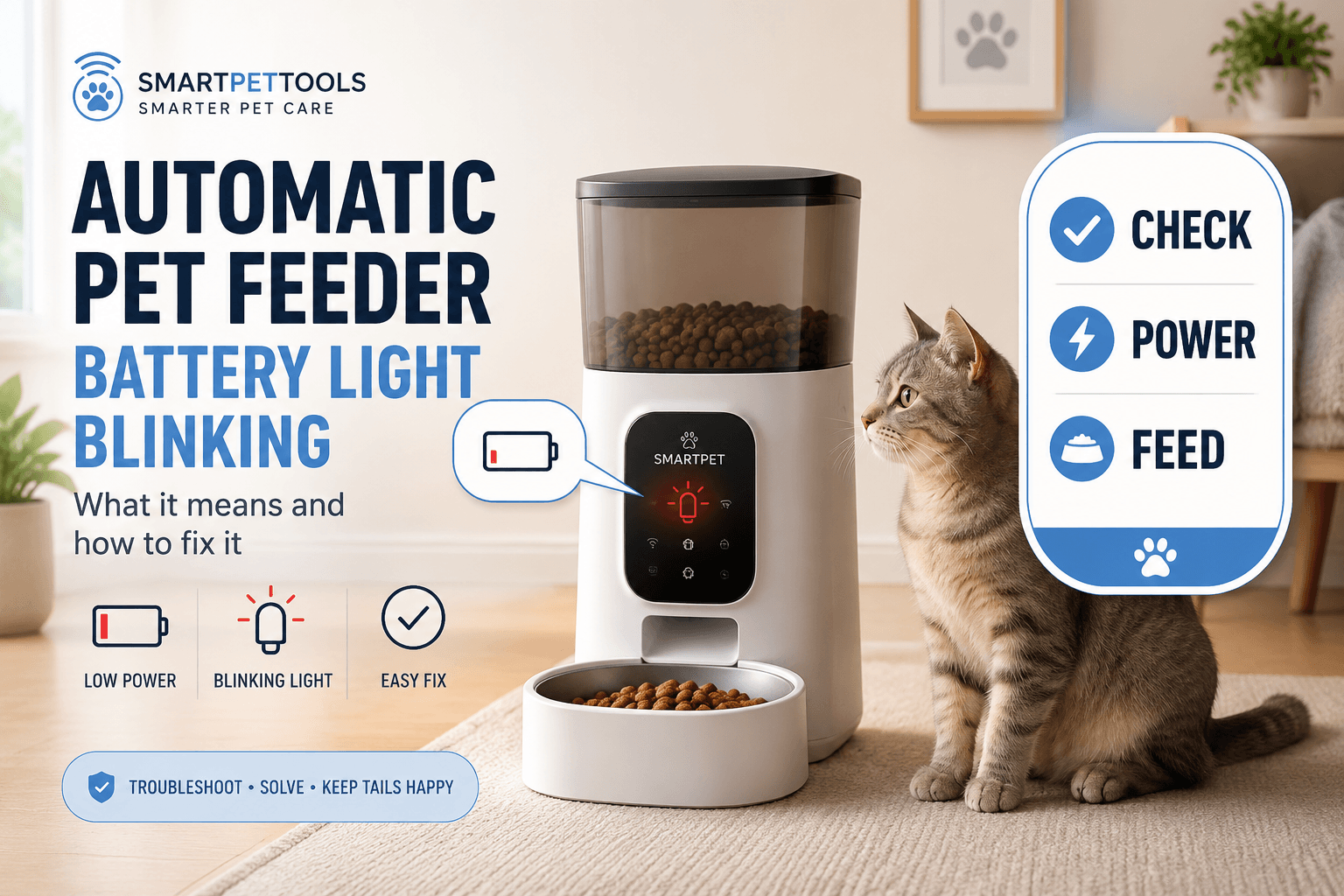
Automatic pet feeder battery light blinking usually means the feeder has detected low battery, backup battery operation, loose battery contact, incorrect battery placement, power adapter interruption, or a device alert that needs checking before the next scheduled meal. The safest response is to check the manual, confirm the feeder is plugged in, inspect the adapter and cable, replace batteries with the correct type, verify battery polarity, restart the feeder if the instructions allow it, run a small test dispense, and confirm the next scheduled meal.
The biggest mistake is treating the blinking light as a harmless visual annoyance. A battery warning can be the first sign that the feeder may lose power, go offline, skip app commands, stop camera streaming, or fail during a meal window. A proper automatic pet feeder battery light blinking response checks power first, feeding status second, and app connection third.
Why This Happens
Battery lights blink because the feeder is trying to communicate power state. Some feeders blink when backup batteries are low. Some blink when the unit has switched from adapter power to battery power. Some blink during startup, pairing, charging, error states, or after a power interruption. The exact meaning depends on the feeder model.
That is why the product manual matters. A blinking red light, blue light, green light, or orange light can mean different things across feeders. Do not assume every feeder uses the same color code. The practical rule is simple: if the battery light changes, check the power system before trusting the next meal.
The Electrical Safety Foundation International’s extension cord safety tips warn against unsafe cord use and treating temporary cords as permanent wiring. For feeder owners, cable safety matters because a weak adapter path can make the feeder depend on batteries without the owner realizing it.
What To Do First
First, check whether the pet has already eaten. Look at the bowl, app log if available, and next scheduled meal. Do not add a full manual meal just because a light is blinking. The feeder may still have dispensed normally.
Second, check the power adapter. Confirm the plug is fully seated in the feeder and wall outlet. Check whether the outlet works. Look for chew marks, bent connectors, exposed cable, loose adapter fit, or a power strip that has been switched off.
Third, check the batteries. Remove old batteries. Inspect for corrosion, swelling, leakage, dirt, or poor contact. Install the correct battery type in the correct direction. Then run a controlled test dispense. Use pet feeder with battery backup to understand why backup power should be maintained before the main power fails.
The Feeding Loop Behind Battery Warnings
The loop starts when the battery light blinks. The owner worries the pet may miss food and immediately feeds manually. Later, the feeder still runs the scheduled meal because the power issue was only a warning, not a full failure. The pet receives two meals.
That loop is common because power alerts create uncertainty. The owner does not know whether the feeder is still running, so the owner chooses food as reassurance. The pet may then learn that feeder problems lead to extra food.
A better automatic pet feeder battery light blinking routine separates diagnosis from feeding. Check bowl status. Check power. Replace batteries. Test dispense. Feed manually only if a scheduled meal truly failed, and record the replacement amount.
The Emotional Trigger Owners Miss
The emotional trigger is fear of a missed meal. A blinking light looks urgent, especially when the owner is about to leave for work, sleep, or travel. That pressure can lead to rushed decisions: random battery changes, repeated manual feeding, unplugging the feeder repeatedly, or ignoring the schedule record.
The correct response is calm and mechanical. Power alerts are handled through inspection, replacement, testing, and schedule verification. Feeding decisions are handled through measured portions.
Use scientific pet feeding schedule so the daily food total stays visible. A battery warning should not erase portion control.
The Addiction Mechanism
The addiction mechanism is alert-based reward. If every blinking light produces extra food, the pet may begin waiting near the feeder whenever the owner checks it. Cats may hover beside the machine. Dogs may crowd the bowl. The owner may read that behavior as hunger and add more food.
The pet is not responding to the battery warning. The pet is responding to the owner’s pattern. If feeder troubleshooting often creates bonus meals, the pet learns to stay involved.
A controlled automatic pet feeder battery light blinking routine keeps the pet out of the troubleshooting loop. Replace batteries, test the feeder, and log manual food away from emotional pressure.
Low Battery Is the First Suspect
Low battery is the simplest cause. Backup batteries lose charge over time even when they are rarely used. If the feeder has been running for months with the same batteries, the blinking light may be telling the owner that backup power is weak.
Replace all batteries at the same time with the correct type. Do not mix old and new batteries. Do not mix brands, chemistries, or charge levels unless the product instructions specifically allow it. Install batteries with correct polarity and close the compartment fully.
If the automatic pet feeder battery light blinking stops after replacement, still run a test dispense. A fresh battery light does not prove the feeder’s portion output is correct. It only proves the power warning has changed.
Backup Battery Mode vs Main Power Failure
Some feeders blink when they are running on battery backup instead of wall power. This can happen when the adapter is unplugged, the wall outlet fails, a power strip turns off, a cable is damaged, or the connector is loose.
This is important because the batteries may not be the original problem. The feeder may be using batteries because the main power path failed. If the owner only replaces batteries without checking the adapter, the feeder may drain the new batteries quickly.
Use chew proof pet feeder cable. A stable power path is one of the best ways to prevent repeat automatic pet feeder battery light blinking alerts.
Loose Battery Contacts
A blinking battery light can also come from poor contact. Batteries may be installed correctly but still fail to make steady contact because of dirt, loose springs, corrosion, or a compartment door that does not close tightly.
Turn the feeder off and unplug it before inspecting the battery compartment. Remove batteries. Look for white, green, crusty, or wet residue. If batteries have leaked, follow the product instructions and local disposal rules. Do not touch leaked material with bare hands.
The U.S. Environmental Protection Agency’s used household batteries guidance explains that different battery types may require different handling or recycling. For feeder owners, the practical point is to avoid leaving old batteries forgotten inside the device.
Battery Type Problems
Some feeders require alkaline batteries. Some support rechargeable batteries. Some may not work correctly with lower-voltage rechargeable cells. Some require specific sizes such as D, C, AA, or AAA. If the wrong type is used, the feeder may blink even after replacement.
Check the battery compartment label and product manual. Use the exact type specified. If rechargeable batteries are allowed, use fully charged batteries from a reliable charger. If they are not recommended, use the specified disposable battery type.
A recurring automatic pet feeder battery light blinking alert after new batteries often points to wrong battery type, poor contact, adapter failure, firmware state, or a feeder fault.
Power Adapter and Outlet Checks
A feeder can blink because the batteries are fine but the wall power is unreliable. Check the adapter by plugging it firmly into a known working outlet. Avoid loose wall sockets, overloaded power strips, and cables crossing areas where pets walk, chew, or pull.
If the feeder sits behind furniture, beside a cabinet, near a water bowl, or close to a high-traffic area, inspect the cord route. A partially pulled plug can make the feeder switch between adapter power and battery power repeatedly.
For power reliability during outages, use emergency backup pet feeder. A battery light is a warning to fix the whole feeding backup plan, not only the small compartment under the feeder.
WiFi and App Confusion
Power problems can look like WiFi problems. If the feeder loses stable power, it may go offline in the app, stop sending notifications, fail to stream camera video, or miss remote commands. The owner may start changing router settings when the real issue is a battery or adapter warning.
Always check power before network settings. Then check whether the feeder reconnects after power is restored. If it does not, use the normal pairing or reconnection process from the product instructions.
Use smart pet feeder offline and pet feeder WiFi connection. A true automatic pet feeder battery light blinking issue starts with power diagnosis before WiFi diagnosis.
Firmware and Reset Behavior
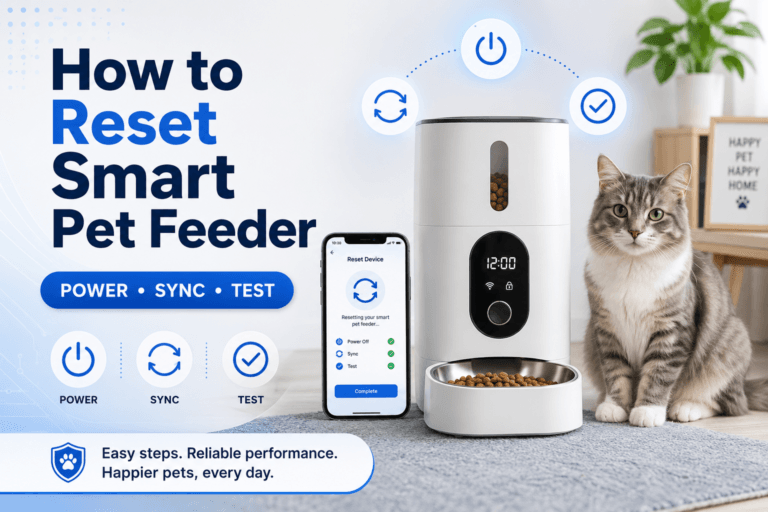
Some feeders blink lights after restart, firmware update, app reconnect, or factory reset. The light may be part of a startup sequence rather than a battery fault. The key is whether it stops after normal boot, continues during use, or appears only when the feeder is unplugged.
After firmware updates, check the schedule, time zone, portion settings, battery indicator, WiFi connection, and next meal. Do not update the feeder right before leaving the home or before a critical meal.
Use smart feeder firmware update. If the blinking started immediately after an update, verify settings before assuming the batteries failed.
Camera Feeders Use More Power
A feeder with a camera may show power issues faster than a basic timed feeder because video, WiFi, night vision, microphones, speakers, and notifications can increase power demand. Battery backup may support core feeding but not every camera feature, depending on the model.
If the feeder has a camera and the battery light blinks, test both feeding and video separately. A camera stream freezing is not the same as a meal failing. A meal log is not the same as visual proof that the pet ate.
A smart WiFi pet feeder with camera can support meal verification, but it still needs stable power. For camera-specific setup, use WiFi pet feeder with camera.
Cleaning and Moisture Around the Battery Area
Cleaning mistakes can create power alerts. If water reaches the battery compartment, adapter port, button area, or internal electronics, the feeder may blink, fail, or behave unpredictably. Food-contact parts may be washable, but the motor base and power areas usually are not.
When cleaning, unplug the feeder, remove only washable parts approved by the manual, dry every part fully, and keep liquid away from battery and power connections. Do not spray cleaner directly into the feeder base.
Use clean smart pet feeder and pet feeder maintenance. A clean feeder should not become a wet feeder.
Schedule Verification After Battery Replacement
After changing batteries, do not assume the feeder schedule remains perfect. Some feeders keep schedules through battery changes. Others may reset time, portion settings, app connection, or alerts. The safest action is to verify everything.
Check current time, time zone, meal schedule, portion count, app connection, bowl status, and low-battery indicator. Run one small test dispense into an empty bowl. Then restore the normal schedule.
Use smart pet feeder timezone setting. Power interruptions and battery changes can expose clock or schedule errors that were not obvious before.
Common Failure Pattern
The most common failure pattern is replacing batteries without checking the wall adapter. The feeder continues running on backup batteries, drains them again, and the blinking light returns. The owner thinks the batteries are bad when the main power path is the real problem.
The second failure is feeding manually before checking whether the schedule still ran. This creates duplicate meals and weakens portion control.
The third failure is leaving old batteries inside for too long. Batteries can lose charge or leak. A long-term backup feature still needs routine inspection.
Real-World Impact
The real-world impact of solving the battery warning is feeding confidence. The feeder stays powered. The schedule remains visible. App alerts make sense. Backup power is ready. The pet’s next meal does not depend on luck.
The impact of ignoring the warning is uncertainty: offline alerts, missed meals, dead batteries, app panic, camera failure, duplicate manual feeding, and owner distrust. The feeder may not be broken. The power system may simply be neglected.
For broad routine control, compare the smart feeders collection. Choose feeder setups based on power reliability, backup planning, cleaning access, schedule stability, and the owner’s ability to maintain the device.
Can This Be Fixed?
Yes, most automatic pet feeder battery light blinking problems can be fixed with a structured power reset. Check the manual. Confirm wall power. Inspect the adapter and cable. Replace batteries with the correct type. Confirm polarity. Clean dry contacts only if safe. Restart according to instructions. Check the app. Run a test dispense. Confirm the next scheduled meal.
Run a seven-day power check after the alert. Record battery status, wall power, app offline events, meal times, manual feeds, test portions, cable condition, and whether the light blinks again. If the blinking returns quickly with new batteries and stable wall power, contact the seller or manufacturer because the feeder may have a battery compartment, adapter, sensor, or board fault.
Cat owners can compare the cat feeders collection when small scheduled meals matter. Dog owners can use the dog feeders collection when bowl size, power cable placement, and feeder stability need stronger planning.
Who Should Walk Away and Who Should Use This
Walk away from ignoring the blinking light, mixing old and new batteries, using the wrong battery type, leaving corroded batteries installed, spraying cleaner near power contacts, or running the feeder from an unsafe cord path. Also walk away from feeding extra before verifying whether a meal was actually missed.
Use this automatic pet feeder battery light blinking checklist if your feeder shows a blinking battery icon, low-battery alert, power warning, offline status after power loss, repeated app disconnection, or schedule uncertainty after changing batteries. It is especially useful before work, travel, overnight feeding, power outages, and camera feeder use.
For everyday reliability, a 2L smart pet feeder for regular feeding should be paired with fresh backup batteries, safe cable routing, clean food-contact parts, and a written manual feeding rule for power failures.
Mini FAQ
Why is my automatic pet feeder battery light blinking?
Your automatic pet feeder battery light blinking usually means low battery, backup battery mode, loose battery contact, incorrect battery installation, adapter interruption, or a feeder power alert. Check the manual for the exact light code.
Does a blinking battery light mean my pet missed a meal?
No, a blinking battery light does not automatically mean your pet missed a meal. Check the bowl, feeding log, power status, and next scheduled meal before feeding manually.
Should I replace all feeder batteries at once?
Yes, replace all feeder batteries at once with the correct type specified by the feeder instructions. Do not mix old and new batteries or different battery types.
Why does the battery light blink even when plugged in?
The battery light may blink while plugged in if the adapter is loose, the outlet is off, the cable is damaged, the feeder has switched to backup battery mode, or the battery contacts are poor.
Can a battery warning make the feeder go offline?
Yes, unstable power can make a smart feeder appear offline, lose app control, stop camera streaming, or reconnect poorly. Always check power before changing WiFi settings.
What should I test after changing batteries?
After changing batteries, test the feeder schedule, time setting, app connection, manual dispense, portion output, and battery indicator. Do not rely on the next meal until one small test dispense works correctly.
The right response to automatic pet feeder battery light blinking is not panic feeding. It is power diagnosis: adapter, outlet, cable, batteries, contacts, app status, schedule, and test dispense. Once the feeder has stable power and a verified next meal, the blinking light stops being a mystery and the feeding routine becomes reliable again.