
A smart feeder firmware update is not just a technical button inside an app. It can affect meal timing, WiFi connection, camera access, portion behavior, app security, offline recovery, and whether the feeder keeps working when the owner is not home. A smart feeder is a food device controlled by software, so old firmware is not a small detail.
For scheduled dry-food routines, a smart automatic pet feeder with app control works best when the app, firmware, power supply, and WiFi connection are maintained together. The feeder should not be treated like a normal bowl after setup. It is a connected device that needs periodic checks.
Direct Answer: Smart Feeder Firmware Update
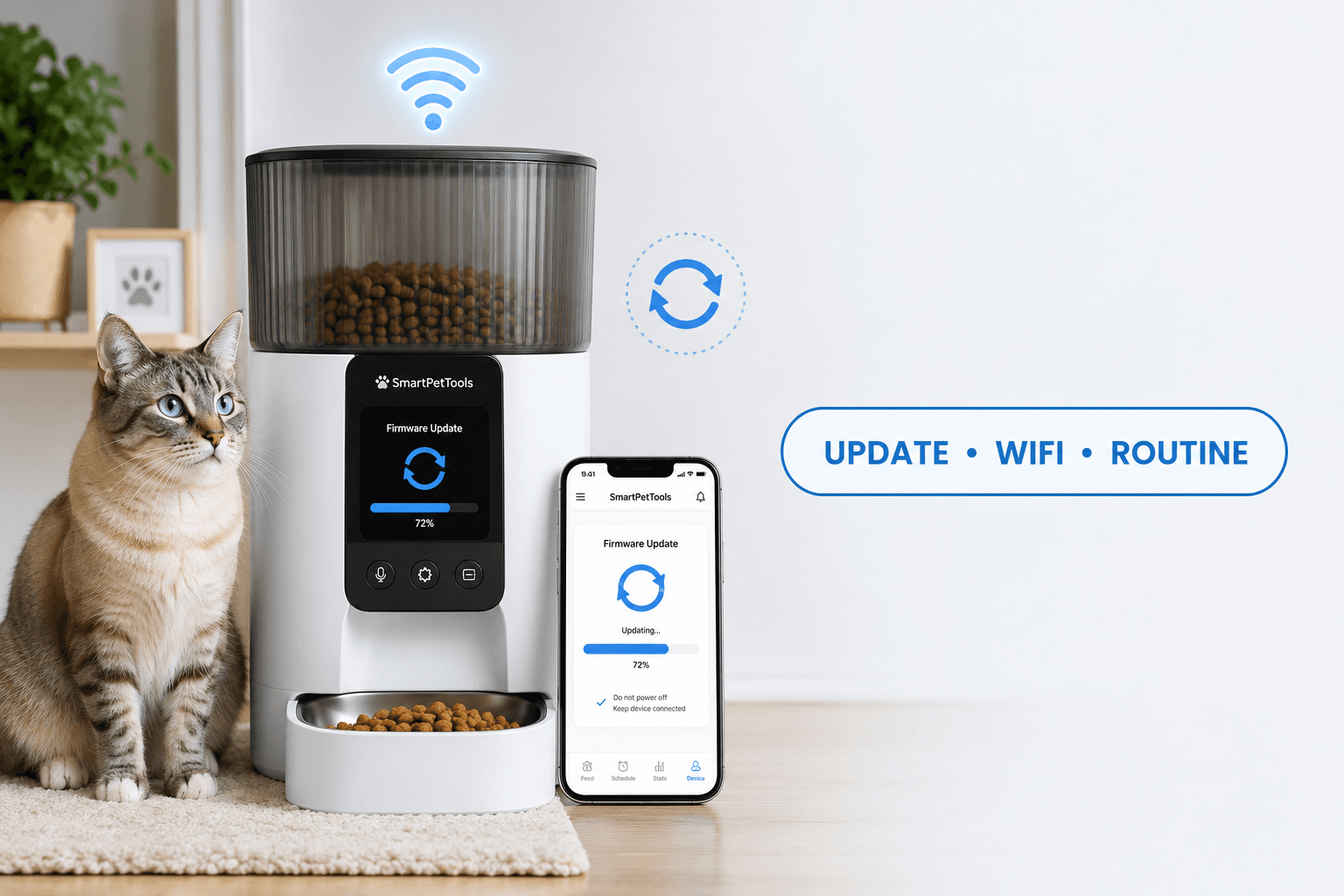
A smart feeder firmware update is a software update installed on the feeder itself to improve security, connection stability, app compatibility, bug fixes, camera behavior, portion control, or device reliability. The safest update process is to check power, confirm WiFi strength, avoid interrupting the update, verify the feeding schedule afterward, and run a small test dispense before trusting the next meal.
The biggest mistake is updating casually right before a scheduled meal, work shift, travel day, or overnight feeding window. A smart feeder firmware update should be done when the owner can watch the feeder, check the bowl, confirm the app, and manually feed a measured portion if the update fails.
Why Firmware Updates Matter
Firmware is the software inside the device. The app on the phone may look like the control center, but the feeder itself still depends on internal instructions for motor behavior, connection handling, camera operation, time settings, and scheduled meal delivery. When that internal software is outdated, the feeder can become less stable.
The FTC’s guidance on securing internet-connected devices at home recommends keeping device software updated. That applies to connected pet feeders because app accounts, firmware, cameras, and home WiFi all interact with the pet’s daily meals.
A smart feeder firmware update also protects compatibility. Phone apps change. Router settings change. Cloud services change. A feeder with old firmware may still dispense food, but app control, remote checks, notifications, and camera functions can become unreliable.
What To Do Before Updating
Start with the meal schedule. Do not update during the hour before a planned feeding. Check whether the pet has already eaten. If the next meal is close, wait until after that meal and then update. This prevents the owner from confusing an update delay with a missed meal.
A practical smart feeder firmware update checklist has six steps: confirm power, confirm WiFi, check app login, read the update prompt, keep the feeder plugged in, and verify the schedule afterward. If the feeder uses batteries or backup power, make sure the main power source is stable before starting.
Use pet feeder WiFi connection before updating if the device already has signal problems. Firmware updates need a stable connection. Updating through weak WiFi creates avoidable failure risk.
The Update Loop Behind Feeding Problems
The update loop starts when the app shows a firmware prompt. The owner taps update without checking the feeder. The app freezes, the feeder restarts, or the schedule temporarily disappears. The owner panics and adds food manually. Later, the feeder resumes and dispenses the planned meal.
Now the pet has received extra food because the owner treated uncertainty as hunger. The update was not the only problem. The real failure was updating without a controlled feeding rule.
A proper smart feeder firmware update breaks this loop. Update only when the owner can observe the device. Check the bowl before and after. Run one test dispense. If manual feeding is needed, measure it and subtract it from the daily total.
The Emotional Trigger Owners Miss
The emotional trigger is trust in the update button. Owners assume that because the app recommends an update, the process will be quick and harmless. Most updates are routine, but feeding devices control a living routine. A failed or interrupted update can create a real meal problem.
That does not mean updates should be avoided. It means updates should be controlled. A smart feeder is not a phone game. It is a device that affects time, food, and owner confidence.
For broader connected-device habits, use smart device security. A smart feeder firmware update is one part of a larger system: strong passwords, secure WiFi, limited app access, and routine backup rules.
The Addiction Mechanism
The addiction mechanism is panic feeding. When an update creates doubt, owners often give extra food to feel safe. The pet learns that owner stress around the feeder can produce food outside the normal schedule.
This matters in weight-control homes, multi-pet homes, early-morning feeding routines, and shift-worker schedules. A single extra portion may look harmless, but repeated “just in case” feeding makes the feeder less useful.
A controlled smart feeder firmware update routine keeps technology problems separate from food rewards. The update is checked. The schedule is verified. The pet does not receive bonus meals because the app looked uncertain.
When To Update the Firmware
Update firmware when the app or product instructions recommend it, especially when the update addresses security, connection stability, camera function, app compatibility, or known device bugs. Do not ignore repeated update prompts for months while depending on the feeder every day.
Choose a low-risk time. The best time for a smart feeder firmware update is after a completed meal, while the owner is home, with strong WiFi, stable power, and enough time to check the feeder afterward. Avoid updates during travel, before sleep, before leaving for work, or when the pet’s next meal is imminent.
For owners who depend on the feeder during long or irregular work hours, automatic feeder for shift workers gives the right routine principle: the feeder should reduce schedule stress, not create a new failure window.
Power Rules During Updates
Power interruption is one of the worst update conditions. If the feeder loses power during firmware installation, the device may restart, fail the update, lose app connection, or require a reset. Do not update from a loose plug, weak battery, unstable outlet, or damaged cable.
A smart feeder with battery backup gives more protection, but backup power should not be used as an excuse for careless updates. Main power should still be stable. Check the adapter, outlet, and cable before starting the update.
For stronger reliability, use pet feeder with battery backup. A smart feeder firmware update is safer when power failure is not the weak point.
WiFi Rules During Updates
WiFi stability matters because the feeder may need to download firmware, confirm installation, or communicate with the app during the update. Weak signal can interrupt the process or leave the app unsure whether the update completed.
Move the feeder closer to the router before updating if the normal feeding location has weak signal. After the update completes, return it to the feeding station and confirm it stays connected there. Do not assume a feeder that updated beside the router will remain stable in a distant kitchen, hallway, garage, or porch.
If the feeder goes offline after the update, use smart pet feeder offline. A smart feeder firmware update can expose old connection problems that were already present.
App Update vs Firmware Update
An app update and a firmware update are different. The app update changes the software on the phone. The firmware update changes the software inside the feeder. Both can affect the feeding routine, but they do not do the same job.
After an app update, check whether the feeder still appears, whether login is active, and whether notifications work. After a firmware update, check whether the feeder itself reconnects, dispenses, stores the schedule, and reports correctly inside the app.
A complete smart feeder firmware update review includes both layers: phone app and feeder device. If one layer changes and the other is ignored, owners can misread the problem.
Camera Feeder Firmware Updates
Camera feeders need stricter update habits because firmware can affect video stream, audio, motion alerts, privacy settings, night vision, storage behavior, and app access. A camera feeder is not only a feeding device. It is also a monitoring device inside the home.
The NIST consumer IoT cybersecurity work focuses on cybersecurity considerations for connected consumer devices. For camera feeders, this supports a practical rule: keep firmware current and review privacy settings after updates.
For camera-based routines, use WiFi pet feeder with camera. After a smart feeder firmware update, check the camera angle, video access, account permissions, and whether the camera still shows the bowl rather than unnecessary household areas.
Portion and Schedule Checks After Updating
The update is not complete when the progress bar finishes. The update is complete only after the feeder still follows the correct feeding plan. Check meal times, portion count, time zone, daylight saving behavior, manual feeding history, and whether any default settings changed.
Run a small test dispense after the smart feeder firmware update. If the feeder dispenses more or less than expected, do not ignore it. Firmware changes can alter motor behavior, portion logic, or app interpretation in some devices.
For measured feeding, use pet feeder calibration. A firmware update is a good moment to confirm that one app portion still equals the expected food weight.
Cleaning Before and After Updates
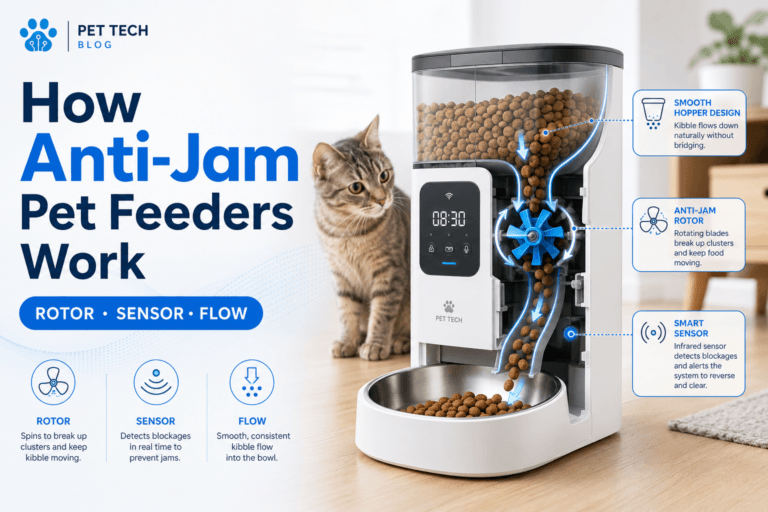
Firmware does not fix dirty hardware. If the feeder has kibble dust, oily residue, a blocked chute, moisture, ants, or stale food, an update will not make the dispensing path clean. A feeder can be fully updated and still fail because food cannot move smoothly.
Before a major smart feeder firmware update, check that the bowl is not overflowing and the chute is not jammed. After the update, run a controlled dispense test into a clean bowl. If the device fails, separate software issues from cleaning issues.
Use clean smart pet feeder for the physical maintenance layer. Software reliability and feeder hygiene have to work together.
Common Failure Pattern
The common failure pattern is updating at the wrong time. The owner starts a smart feeder firmware update before going to work, the feeder restarts, the app logs out, and the owner cannot confirm the next meal. Then manual food is added later, and the routine becomes unclear.
The second failure is not checking settings after the update. The feeder appears online, so the owner assumes the schedule is correct. But the time zone, portion count, manual feed setting, or notification rule may have changed.
The third failure is updating while the feeder already has weak WiFi or power issues. An unstable feeder should be stabilized first. Firmware updates are maintenance, not a substitute for basic setup.
Real-World Impact
The real-world impact of a good smart feeder firmware update routine is boring reliability. The feeder stays connected. Meals run on time. App controls remain current. Camera access works. Security improves. The owner does not need to compensate with extra food.
The impact of a poor update routine is missed meals, duplicate portions, offline alerts, failed video, lost trust, and panic feeding. Those are not abstract technical problems. They affect the pet’s daily food intake.
For homes using connected pet devices, firmware is part of care. The pet does not know whether the issue is WiFi, firmware, app login, or a router update. The pet only experiences whether the meal appears on time.
Can This Be Fixed?
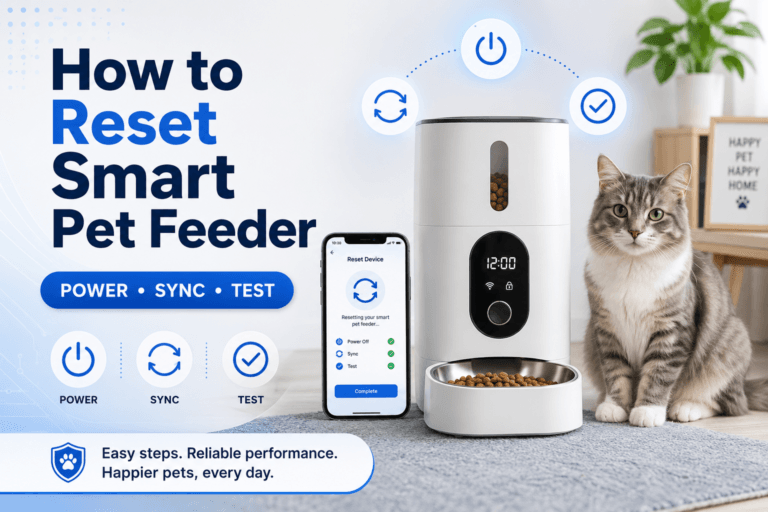
Yes, smart feeder update problems can be fixed with a structured reset. Confirm power. Move the feeder to strong WiFi if needed. Update the app. Complete the firmware update. Reconnect the device. Verify the schedule. Run a test dispense. Check the bowl. Record any manual feeding.
If the update fails, do not repeatedly reset without a plan. Check the app instructions, power, WiFi band, router, account login, and whether the feeder is already in pairing mode. If manual feeding is needed, measure the amount and keep the daily total controlled.
For product selection and connected-feeder reliability, start with the smart feeders collection. Cat owners can compare the cat feeders collection, while dog owners should use the dog feeders collection when bowl size, stability, and food volume matter.
Who Should Walk Away and Who Should Use This
Walk away from ignoring firmware prompts while depending on app control every day. Also walk away from updating during weak WiFi, low power, travel days, work departures, or the hour before a scheduled meal.
Use a smart feeder firmware update checklist if your feeder is app-controlled, WiFi-connected, camera-equipped, shared by multiple household members, used for weight control, used for shift-work feeding, or relied on during early-morning meals. These routines need stable software because the feeder is part of daily care.
A smart WiFi pet feeder with camera benefits from current firmware because camera, app, WiFi, and feeding schedule all depend on connected-device reliability. The final rule is direct: a smart feeder firmware update should be planned, powered, connected, verified, and tested before the owner trusts the next meal.
Mini FAQ
What is a smart feeder firmware update?
A smart feeder firmware update is a software update installed on the feeder itself. It can improve security, WiFi stability, app compatibility, camera function, bug fixes, and feeding reliability.
Should I update my smart feeder firmware?
Yes, update smart feeder firmware when the app or product instructions recommend it, especially for security, connection, camera, or reliability fixes. Update only when power and WiFi are stable and you can verify the feeder afterward.
Can a firmware update affect feeding schedules?
A firmware update can affect feeding schedules if the device restarts, resets settings, changes time handling, or loses app connection. Always check meal times, portion counts, time zone, and test dispensing after updating.
Why did my smart feeder go offline after an update?
A smart feeder can go offline after an update because of weak WiFi, router band problems, app login issues, pairing changes, power interruption, or incomplete installation. Check power and connection before resetting.
When is the best time to update a smart feeder?
The best time to update a smart feeder is after a completed meal, while you are home, with strong WiFi and stable power. Avoid updates before work, travel, sleep, or a scheduled feeding window.
What should I do after a firmware update?
After a firmware update, verify the app connection, meal schedule, portion count, time zone, camera function if available, and run a small test dispense. The update is not finished until the feeding routine is confirmed.
The best update process is calm and measurable. A smart feeder should not become less reliable because maintenance was rushed. With stable power, strong WiFi, schedule checks, and portion testing, a smart feeder firmware update becomes routine care instead of a feeding risk.