
Smart pet feeder power consumption is usually less about the motor’s brief dispensing cycle and more about how the whole device stays ready between meals. Wi-Fi, a camera, status lights, sensors, and the power adapter can all affect the measured draw. To know the actual electricity cost, measure the feeder over time instead of treating the adapter’s maximum rating as its constant use.
If you need app scheduling or remote meal control, a smart pet feeder with app control adds connected features, but the product label and a real-world measurement are what help you estimate its energy needs.
Direct Answer: Smart Pet Feeder Power Consumption
Smart pet feeder power consumption varies by model and operating mode, so there is no reliable universal wattage figure. A basic timed feeder, a Wi-Fi feeder, and a camera-equipped feeder can have different standby and active loads. Check the electrical label for compatibility, then use a plug-in energy meter over several days to measure actual wall power and calculate the running cost.
Why This Happens
A feeder’s motor usually runs only briefly to release food, while the electronics may remain on all day. A connected model may maintain a Wi-Fi connection, monitor sensors, display status lights, and wait for an app command. A camera model can use additional power when recording, streaming video, or enabling night vision.
Power and energy are not the same measurement. Watts (W) describe the rate of power use at a moment. Watt-hours (Wh) and kilowatt-hours (kWh) measure energy accumulated over time. The U.S. Energy Information Administration’s electricity guide explains that one watt used for one hour equals one watt-hour, and utilities commonly bill in kilowatt-hours.
The number printed on an adapter can also be misleading. It may describe the adapter’s rated output capacity, not the feeder’s average draw. Xiaomi, for example, lists a 5.9-volt, 1-amp supply for its feeder; multiplying those figures gives the adapter’s rated output capacity, not proof that the feeder continuously consumes that amount. See the manufacturer’s power-adapter safety information.
Backup batteries add another variable. Some feeders use batteries only when wall power fails; others can operate on batteries but disable some connected features. PetSafe’s Smart Feed, for example, is designed for an AC adapter with an optional battery backup. Check the manual for the specific model rather than assuming all functions run identically on batteries.
What To Do
Read the label, but don’t stop there
Check the feeder and adapter for input voltage, current, and rated output. Use only the supplied or manufacturer-approved power supply. Do not substitute an adapter just because its plug fits; voltage, polarity, and connector requirements must also match.
Measure average use at the wall
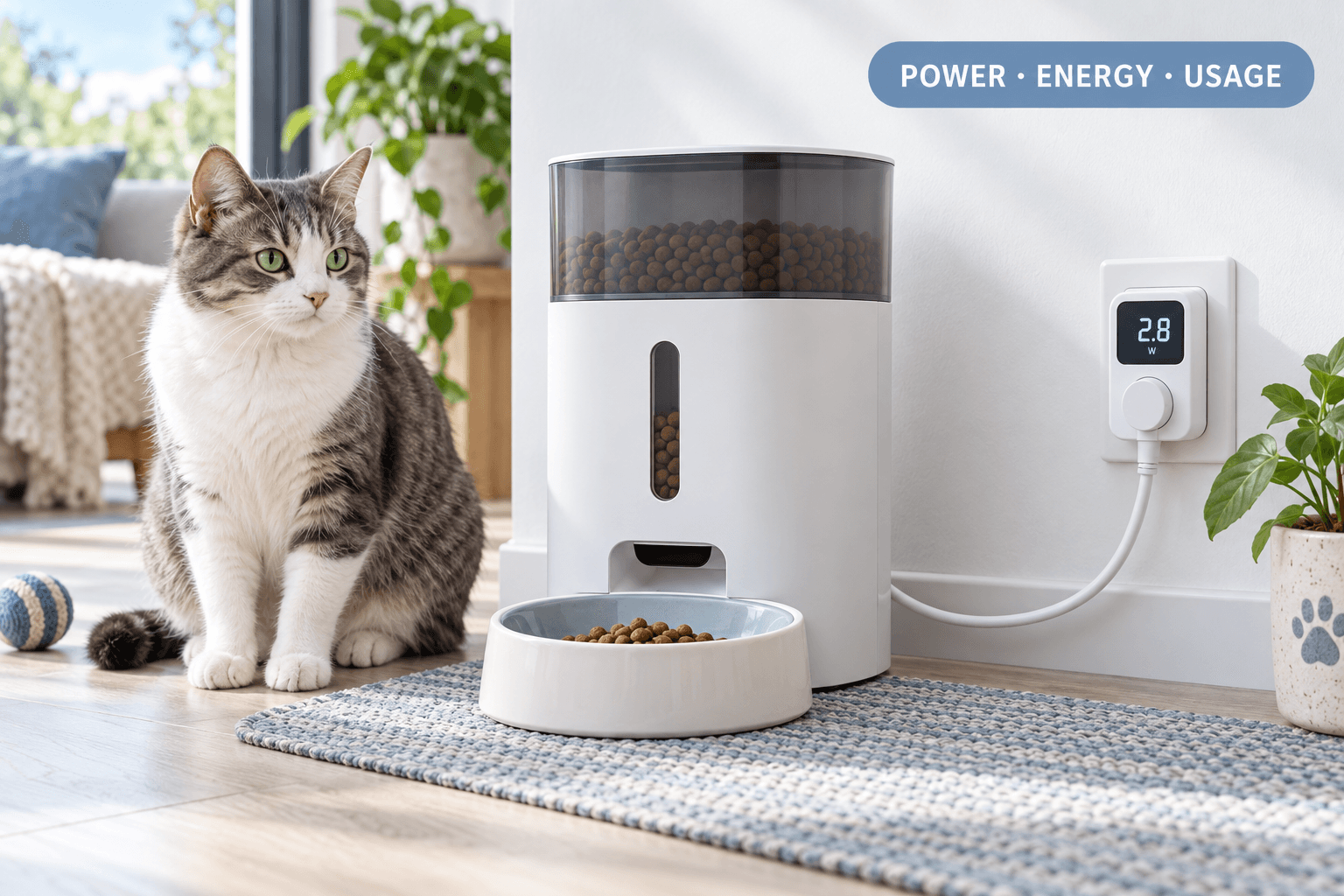
For a plug-in model, connect a suitable plug-in energy meter between the outlet and the feeder. Record energy over at least 24 hours; a longer test that includes normal meals, app use, and camera activity gives a more representative result. A single momentary watt reading may miss the motor cycle or connected-device activity.
If the feeder has a camera, measure it in the modes you actually use: idle, motion alerts, night vision, and live streaming. Keep the setup otherwise unchanged so you can compare the readings fairly.
Calculate monthly energy and cost
Use this formula: average watts × hours used per day × days ÷ 1,000 = monthly kWh. Then multiply the kWh by your electricity rate to estimate the cost.
For illustration only, if a meter showed an average draw of 1.2 W for 24 hours a day, the feeder would use 0.864 kWh over 30 days. At a rate of $0.20 per kWh, that would cost about $0.17 for the month. Your feeder’s measured draw and local rate may be different.
Measure backup mode separately
Unplug the adapter only when it is safe to do so and the manual allows the test. Confirm that the schedule continues, note which features stop, and check whether the battery level changes. Battery runtime depends on capacity, device mode, battery condition, and conversion losses, so a wall-power reading does not directly predict backup duration.
The pet feeder battery-backup guide can help you distinguish emergency backup from normal battery operation.
Include the connected features you need
Disable features you do not use, such as continuous video streaming, if the app allows it. Keep firmware and security settings current, and use a strong, unique password. The smart device security guide covers connected-device safeguards.
Micro Case: The Adapter Rating Looked Like the Bill
An owner sees the adapter’s maximum output rating and assumes the feeder draws that amount continuously. The resulting estimate suggests a much larger monthly cost than the actual use. After measuring a full day at the wall, the owner finds that the feeder’s motor runs only briefly and the average is lower. The correction is to use the adapter rating for compatibility checks and a meter reading for energy-cost estimates.
The Feeding Loop Behind This Problem
The feeder is plugged in, stays connected, and dispenses scheduled meals; the pet’s routine depends on the schedule being available. If the owner switches to batteries to reduce wall use without checking how battery mode works, the schedule or app features may change unexpectedly.
Smart pet feeder power consumption should be assessed alongside feeding reliability. The lowest measured draw is not useful if the device stops dispensing or loses its schedule when the power source changes. Test the normal mode and backup mode as separate parts of the routine.
The Emotional Trigger Owners Miss
Owners may see “low power” in marketing and assume that any smart feeder will have negligible operating cost. Others see a relatively high adapter rating and worry that the device will consume that amount every hour. Both reactions rely on a label without measuring how the feeder actually operates.
Measure before changing the feeding plan. If the cost is small, keep the reliable setup. If backup runtime is the concern, focus on battery behavior and outage planning rather than trying to infer everything from the wall adapter.
The Addiction Mechanism
There is no addiction mechanism in a feeder’s electricity use. The relevant pattern is owner dependence on connected features: when remote alerts or camera access become part of the routine, turning those features off can feel like losing oversight.
Keep essential meal scheduling separate from optional monitoring where possible. Learn which functions work locally, which require Wi-Fi, and which require continuous power. This keeps a convenience feature from becoming a single point of failure.
Real-World Impact
For most households, the main value of measuring smart pet feeder power consumption is budgeting and backup planning—not expecting the feeder to dominate the electricity bill. The bigger practical differences may be whether a camera is used continuously, whether the feeder has battery backup, and whether its schedule survives an internet outage.
Clean the food path and bowl on the schedule in the manual. A jammed mechanism can affect feeding even if the feeder has power. The pet feeder maintenance guide can help keep the device operating as intended.
If the feeder is part of a workday routine, also plan for connection loss and missed notifications. The automatic feeder guide for work schedules covers the broader reliability questions beyond electricity use.
Can This Be Fixed?
Yes, uncertainty about feeder electricity use can be resolved with a label check, a sustained meter reading, and a simple cost calculation. Keep the adapter rating for electrical compatibility, use measured kWh for cost, and evaluate battery mode separately.
If readings seem unusually high, test with camera streaming disabled, check the adapter and cable for damage, and compare the result with the manufacturer’s operating guidance. Do not open or modify the feeder’s electrical components. Contact the manufacturer if the device becomes hot, smells unusual, or behaves erratically.
Who Should Walk Away and Who Should Use This
Owners should not choose a feeder based only on a low adapter rating or a vague “energy efficient” claim. Walk away from a model with unclear electrical specifications, no usable manual, or no explanation of how its schedule behaves during an outage.
A smart feeder suits households that benefit from scheduled meals, remote adjustments, or monitoring. Before buying, check adapter requirements, backup-battery behavior, camera settings, and whether a local schedule continues offline. A product such as a smart feeder with app control should be assessed by its measured use and the features you actually plan to keep enabled.
Mini FAQ
How much electricity does a smart pet feeder use?
There is no single consumption figure for every smart feeder. Standby electronics, Wi-Fi, camera activity, and motor cycles vary by model. Measure the feeder at the wall over a full day, then convert the recorded kWh into cost using your local rate.
Does adapter wattage equal smart pet feeder power consumption?
No, the adapter’s rated output is not necessarily the feeder’s average draw. The rating describes what the adapter can supply under its specifications. Use it to check compatibility, and use an energy meter to estimate actual energy use.
Does a camera increase feeder power use?
Camera features can affect power use, especially during active streaming or night vision. The amount varies by model and settings. Measure idle and active modes separately and disable features you do not need.
How do I estimate the monthly cost?
Multiply average watts by daily hours and days, divide by 1,000, then multiply by your price per kWh. This converts power into monthly energy and cost. Use a sustained meter reading rather than the adapter’s maximum rating for the average-watt figure.
Will a smart feeder keep working during a power outage?
Only if that model has a suitable backup system and it is installed and tested. Some feeders continue local schedules on batteries while limiting app or camera features. Check the manual, test the switchover, and keep a manual feeding backup.
Smart pet feeder power consumption is best understood from measured energy, not a guess based on the adapter label. Check the electrical specifications, meter normal and camera-enabled operation, calculate kWh and cost, and test backup mode on its own. Choose the feeder for reliable meals first; then use the measurement to understand what that routine costs.