
Smart Life pet feeder app is not just a remote control. Smart Life pet feeder app is the system that decides whether your feeder actually works as intended or becomes another unreliable gadget. Most problems people blame on feeders are actually app setup and usage mistakes.
If you want stable feeding with real portion control and scheduling, this smart feeder designed for precise app-based feeding control shows how the Smart Life pet feeder app should function when everything is set correctly.
Direct Answer: The Smart Life pet feeder app allows you to control feeding schedules, portion sizes, and remote feeding. Most issues come from incorrect setup, unstable WiFi, or poor configuration—not the feeder itself.

Why Smart Life Pet Feeder App Matters
The mistake people make is thinking the feeder is the main system. It’s not.
The Smart Life pet feeder app controls:
feeding schedule
portion size
manual feeding triggers
feeding history
If the app is misconfigured, the feeder becomes inconsistent.
This is why guides like how to use a smart pet feeder and scientific pet feeding schedule emphasize setup, not just hardware.
How the System Actually Works
The Smart Life pet feeder app connects your feeder to your home WiFi.
Flow looks like this:
you set schedule in app
app sends command via cloud
feeder executes portion release
feeding log updates
If any step fails, feeding becomes unreliable.
Most Common Problems (And Real Causes)
Problem 1: Feeder not responding
Cause: weak WiFi or wrong network (5GHz instead of 2.4GHz)
Problem 2: Feeding schedule not working
Cause: time zone mismatch or unsaved schedule
Problem 3: App disconnects frequently
Cause: unstable internet or outdated firmware
Problem 4: Portions inconsistent
Cause: wrong portion settings or feeder blockage
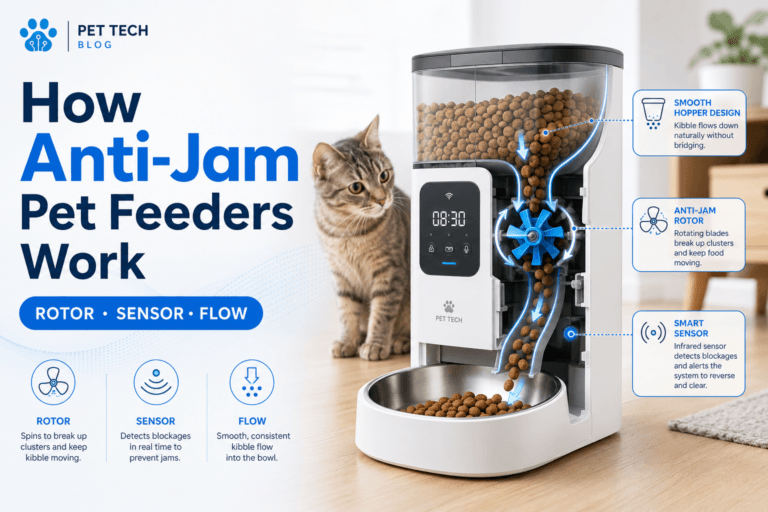
Many of these connect to issues explained in automatic pet feeder jammed.
Setup Process (Do It Correctly Once)
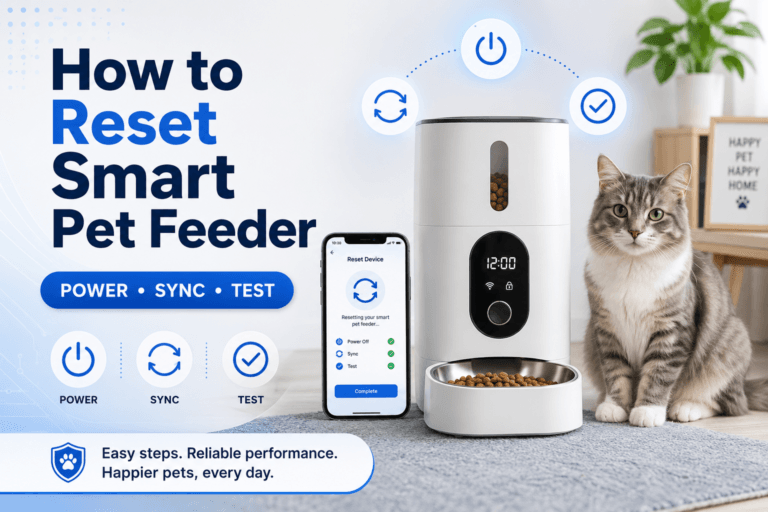
Correct setup of the Smart Life pet feeder app eliminates most issues.
Steps:
connect to 2.4GHz WiFi only
reset feeder before pairing
add device in Smart Life app
confirm blinking indicator
complete pairing process
test manual feed before scheduling
If you skip steps, problems show later—not immediately.
Behavior Cycle: Why App Control Changes Everything
The Smart Life pet feeder app changes how feeding works:
without app:
feeding depends on human timing
inconsistent portions
random schedule
with app:
fixed feeding times
consistent portions
predictable routine
This reduces begging and stabilizes behavior.
Addiction Mechanism (Human Side)
Without automation, owners adjust feeding emotionally.
extra snacks
inconsistent timing
overfeeding
The Smart Life pet feeder app removes emotion and replaces it with rules.
Real Impact on Health
Feeding consistency directly affects weight.
A structured cat weight reduction plan requires fixed portions. General healthy pet weight guidance confirms that consistency is key.
The Smart Life pet feeder app enforces that consistency.
If you’re dealing with weight issues, also see automatic cat feeder for weight loss and cat calorie guide for weight loss.
Can It Be Fixed If It’s Not Working?
Yes—but only if you fix the system, not just the symptom.
Checklist:
verify WiFi stability
update app and firmware
reconfigure schedule
clean feeder hardware
test manual feed
If you skip root causes, problems repeat.
Who Should Use the Smart Life Pet Feeder App
The Smart Life pet feeder app is essential if:
you want remote feeding control
you have inconsistent schedule
you need portion accuracy
you manage multiple pets
you want feeding logs
If you don’t need control, the app adds less value—but most people do.
Mini FAQ
Why is my Smart Life pet feeder app not working?
Usually WiFi issues or incorrect setup. Fix network stability and reconfigure the device.
Does Smart Life pet feeder app require internet?
Yes. It relies on cloud communication to send commands to the feeder.
Can I control feeding remotely?
Yes. You can trigger feeding and adjust schedules from anywhere with internet access.
Why are my feeding schedules not saving?
Likely due to app sync issues or incorrect time zone settings. Recheck configuration.
Is the app necessary?
For full control, yes. Without it, you lose scheduling precision and remote access.
The Smart Life pet feeder app is not optional if you want real control. It’s the system behind the feeder. If you want consistent feeding without guessing, this smart feeder with app-based portion and schedule control turns feeding into a reliable system—not a daily variable.