
Are you tired of being woken up at 5:00 AM by a hungry cat? Or perhaps you’re worried about your dog’s mealtime while you’re stuck in traffic? Learning how to use a smart pet feeder is the ultimate game-changer for modern pet parents.
In this comprehensive 2026 guide, we will break down the technology behind automated feeding and show you exactly how to use a smart pet feeder to improve your pet’s health, maintain portion control, and gain total peace of mind.
💡 Quick Summary: The Smart Feeder Setup Checklist
Before we dive into the details, here is the essential “Quick-Start” for how to use a smart pet feeder successfully:
Placement: Near a strong Wi-Fi signal and power outlet.
App Pairing: Download the dedicated app (Tuya/Smart Life) and pair via 2.4GHz Wi-Fi.
Portion Testing: Run a “Manual Feed” to see exactly how many grams per portion.
Schedule: Set 3–5 small meals to mimic natural hunting patterns.
Backup: Always install batteries to prevent hunger during power outages.
1. What Exactly is a Smart Pet Feeder?
A smart pet feeder is a Wi-Fi-enabled device designed to dispense precise amounts of dry food at scheduled intervals. Unlike basic gravity feeders, knowing how to use a smart pet feeder allows you to control your pet’s diet via your smartphone, regardless of where you are in the world.
Comparison: Smart Feeders vs. Traditional Bowls
| Feature | Traditional Bowl | Gravity Feeder | Smart Pet Feeder |
| Portion Control | Manual (Inaccurate) | None (Free Feed) | Precise (Grams) |
| Scheduling | When you are home | Always available | App-Controlled |
| Freshness | Exposed to air | Stale food at bottom | Sealed Hopper |
| Notifications | None | None | Smartphone Alerts |
2. Step-by-Step: How to Use a Smart Pet Feeder for the First Time
Step 1: Initial Assembly and Power
Most feeders, including our Smart WiFi Pet Feeders, feature a dual-power system. Plug the device into a wall outlet, but don’t forget the batteries. This “redundancy” ensures that even if the Wi-Fi or power goes out, your pet’s internal clock (and stomach) stays on track.
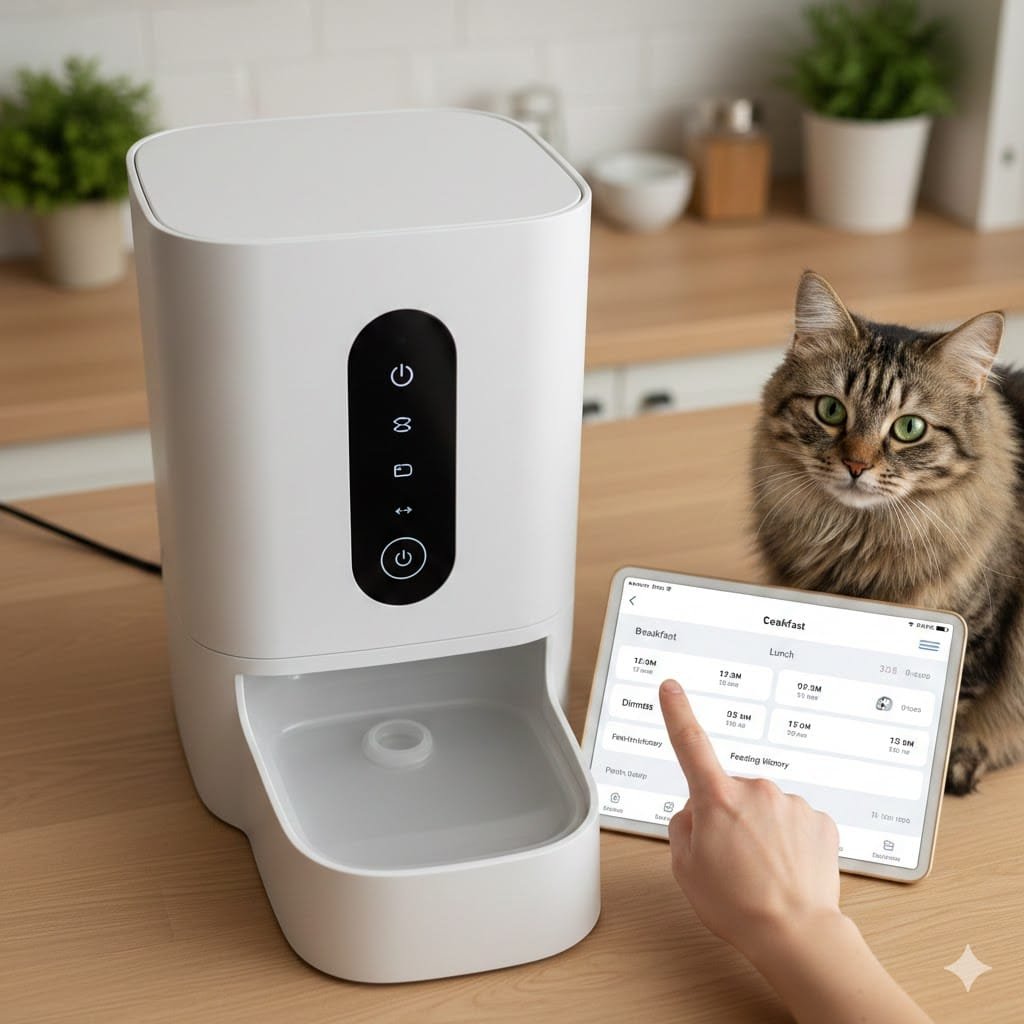
Step 2: Connecting to Wi-Fi and App
The biggest hurdle in how to use a smart pet feeder is the initial pairing.
Tip: Most feeders only support 2.4GHz Wi-Fi. If your router is 5G, you may need to temporarily switch to 2.4G during setup.
Once connected, you can monitor food levels and receive “successful feeding” notifications directly on your phone.
Step 3: Calibrating the Portions
Every kibble size is different. To master how to use a smart pet feeder, you must calibrate it:
Place a bowl on a kitchen scale.
Trigger one “Portion” (Unit) from the app.
Weigh the result (e.g., 1 portion = 10 grams).
Calculate your pet’s needs based on our Cat Calorie Guide.
3. Advanced Features: Moving Beyond the Basics
Once you know how to use a smart pet feeder for daily meals, explore these advanced tech features:
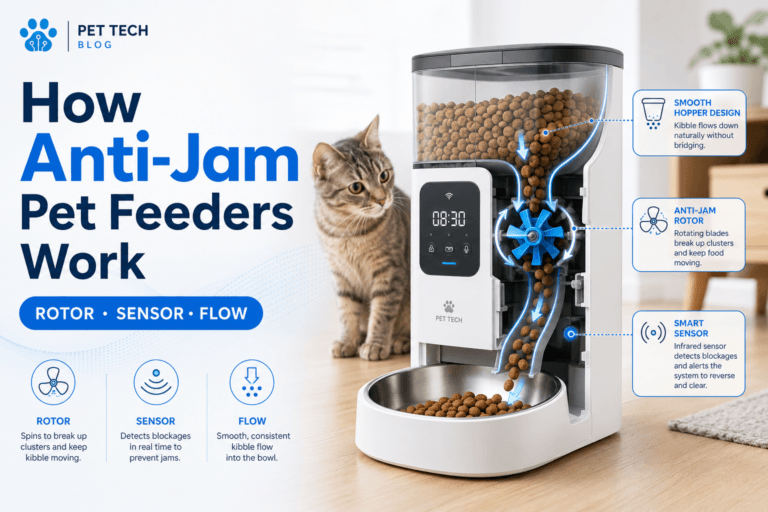
Anti-Clog Technology
High-quality feeders use a “stirring bar” or a squeezer system. If food gets stuck, the motor reverses to clear the jam. This is crucial for larger dog kibble.
Freshness Preservation
Smart feeders use a sealed hopper and a desiccant box to absorb moisture. This prevents mold and keeps the kibble crunchy—something picky cats will appreciate.
Voice Recording
Some models allow you to record a 10-second message. Hearing your voice say, “Time for dinner, Bella!” reduces anxiety for pets left alone.
4. Why Consistency Matters for Pets
Pets thrive on routine. One of the primary reasons to learn how to use a smart pet feeder is to eliminate “mealtime stress.”
For Cats: Frequent small meals prevent the “scarf and barf” reflex.
For Dogs: It reduces the risk of bloat and manages conditions like Acid Reflux.
As noted by the American Kennel Club (AKC), a consistent feeding schedule is one of the pillars of canine behavioral health.
5. Maintenance: How to Clean Your Smart Feeder
You cannot learn how to use a smart pet feeder without learning how to clean it. Grease from kibble can build up, leading to bacteria or ants.
Weekly: Wipe the lid and the area around the dispensing hole.
Monthly: Hand-wash the stainless steel bowl and the food tank. Warning: Never submerge the base (the part with the motor/electronics) in water!
FAQ: Common Questions on How to Use a Smart Pet Feeder
Q1: Can I use wet food in a smart feeder?
Most smart feeders are strictly for dry kibble or air-dried food. For wet food, you would need a specialized tray-style feeder with ice packs.
Q2: What happens if my Wi-Fi disconnects?
If you have already programmed the schedule, the feeder’s internal memory will still dispense food at the set times. However, you won’t receive mobile notifications until the Wi-Fi is back up.
Q3: Is it hard to learn how to use a smart pet feeder app?
Not at all! Our WiFi Pet Feeder with Camera uses the Smart Life app, which is highly intuitive and allows you to share access with family members.
Final Thoughts: Technology Changes Pet Life
Mastering how to use a smart pet feeder is about more than just convenience—it’s about providing the best possible care for your companion. By automating portions and schedules, you ensure your pet stays at a healthy weight while you enjoy your freedom.
Ready to simplify your routine?
👉 Browse our Smart Pet Feeders and Start Your Automation Journey Today!